
Hp M426dw LaserJet Pro User Manual
Content
HP LaserJet Pro M426dw Product Manual Overview
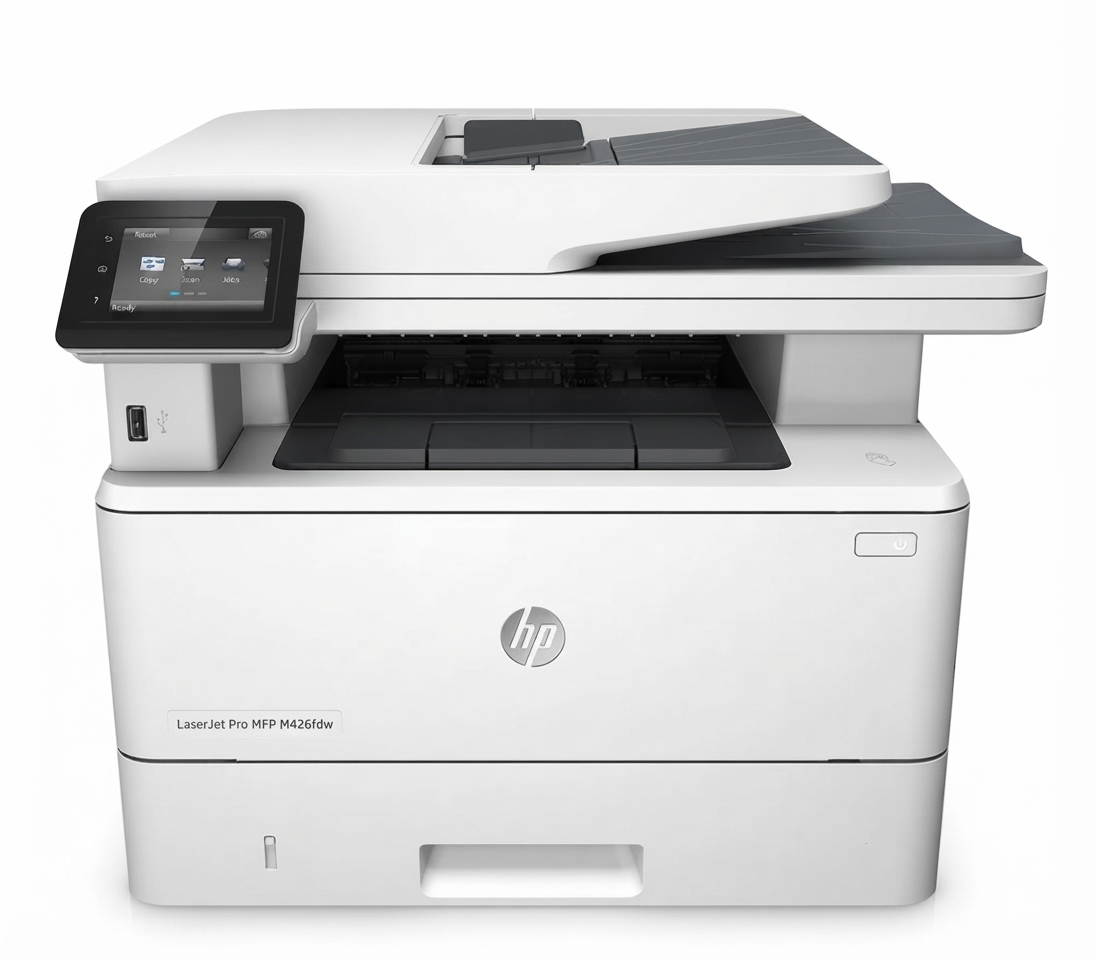
The hp M426dw LaserJet Pro is a compact monochrome multifunction laser printer designed for fast, reliable office printing, scanning, and copying. It is built for small businesses, workgroups, and home offices that need professional document output, automatic duplex printing, and wireless connectivity in one device. With its strong print speed, crisp text quality, and practical workflow features, the hp M426dw LaserJet Pro remains a popular choice for users who handle frequent black-and-white document jobs and want a dependable all-in-one machine.
Its main selling points include automatic two-sided printing, Ethernet and Wi-Fi connectivity, a 2.7-inch touchscreen, and a business-focused design that supports regular office use. The printer is especially useful for invoices, reports, forms, contracts, and shipping documents. Many buyers choose it for its efficient toner usage and straightforward operation, which help keep running costs manageable over time.
As of 2026, the estimated price range for this model typically falls around $300 to $450 depending on condition, seller, and included accessories. New inventory may be limited in some regions because it is an older model, but refurbished and open-box units are still commonly available through office equipment resellers and online marketplaces. For users comparing mono laser MFPs, it competes with other business printers in the same class by offering a strong balance of speed, print quality, and ease of use.
Technical Specifications and Key Features
- Printer type: Monochrome laser multifunction printer with print, scan, and copy functions
- Print speed: Up to 38 pages per minute for black-and-white documents
- Print resolution: Up to 1200 x 1200 dpi for sharp text and crisp business graphics
- Duplex printing: Automatic two-sided printing for paper savings and professional output
- Connectivity: USB, Ethernet, Wi-Fi, and mobile printing support
- Paper size support: Up to A4 with standard office paper handling
- Memory: 256 MB class memory for routine office workflows
- Display: 2.7-inch touchscreen for easy menu navigation
- Dimensions: Approximately 420 x 390 x 323 mm
- Weight: Around 12.9 kg
In performance terms, the hp M426dw LaserJet Pro is well suited to moderate-to-heavy document workloads, especially in shared office environments. Compared with compact mono laser printers, it offers more robust networking and full MFP functionality. Compared with newer entry-level models, it often delivers faster output and a more business-oriented feature set, though it may lack the latest cloud workflow integrations found in recent releases.
Troubleshooting Common Problems with HP LaserJet Pro M426dw
If the printer does not power on, check the power cable, wall outlet, and rear switch. If print jobs are stuck, clear the print queue, restart the printer, and reconnect the device on the network. For paper jams, open the front and rear access panels, remove all torn paper carefully, and reload the tray with clean, aligned sheets. If the printer is offline, verify Wi-Fi or Ethernet status and print a network configuration page to confirm connectivity.
Common user-reported issues on printers in this class include scan failures, slow wireless response, and toner recognition errors. If a toner or supply alert appears, reseat the cartridge and confirm that the cartridge is compatible and properly locked in place. If an error code appears on the display, restart the printer first; persistent hardware or supply errors usually require cartridge replacement, tray inspection, or firmware refresh.
Preventive maintenance helps avoid most issues. Keep paper dry, use quality toner, update firmware when available, and clean the paper path regularly. Warranty support for HP LaserJet Pro MFP models has historically included one-year bench repair coverage in many markets, with regional service terms varying by seller and country. For help, contact HP support through the official support channels, your authorized retailer, or your business IT provider if the printer is managed on a network.
Pros and Cons of the hp M426dw LaserJet Pro
Pros
- Fast black-and-white printing that suits busy office workflows
- Automatic duplex printing reduces paper use and improves productivity
- Strong text quality for contracts, invoices, and reports
- Wireless, Ethernet, and USB connectivity for flexible setup options
- All-in-one functionality adds scanning and copying in one unit
- Good value for money on the used and refurbished market
Cons
- Monochrome only, so it is not suitable for color printing needs
- Bulkier than compact home printers
- Older software and firmware ecosystem compared with newer models
- May show wear-related issues in second-hand units
- Advanced cloud features are more limited than on newer office MFPs
For buyers focused on affordable office output, the hp M426dw LaserJet Pro offers strong value, especially if purchased refurbished from a reputable seller. Alternatives such as newer HP LaserJet Pro or Brother monochrome MFP models may provide updated apps or quieter operation, but this model still stands out for dependable speed and practical business features.
Customer Reviews and Real-World Feedback
Users frequently rate this printer around 4.4 to 4.6 out of 5 stars across retail and marketplace listings. Many praise the fast first-page output, reliable duplex printing, and clear text quality. A common positive comment is that it works well as a shared office printer for teams that need quick black-and-white documents every day.
Typical complaints focus on scan problems, occasional Wi-Fi setup frustration, and the cost of genuine toner cartridges. Some buyers also mention that older units may need maintenance or firmware updates after long periods of storage. The strongest recommendation is for users who need a durable monochrome MFP for business documents rather than color photos or advanced creative printing.
Overall, the hp M426dw LaserJet Pro remains a solid purchase for offices that value speed, efficiency, and simple document handling. It is a practical choice for professionals who want a dependable laser all-in-one printer with proven performance.
Faqs
How do I set up hp M426dw LaserJet Pro for the first time on Wi‑Fi?
What should I do if hp M426dw LaserJet Pro is not printing after installation?
Does hp M426dw LaserJet Pro support automatic duplex printing and how do I use it?
Which devices and operating systems are compatible with hp M426dw LaserJet Pro?
Why is hp M426dw LaserJet Pro printing slowly and how can I improve performance?
How do I fix paper jams on hp M426dw LaserJet Pro without damaging the printer?
How often should I replace toner and perform maintenance on hp M426dw LaserJet Pro?
What scan and copy features are available on hp M426dw LaserJet Pro?
Tags
More hp manuals
Leave a Comment