
Jbl CINEMA SB400 Soundbar Speaker User Manual
Content
JBL CINEMA SB400 Soundbar Speaker Review and User Manual
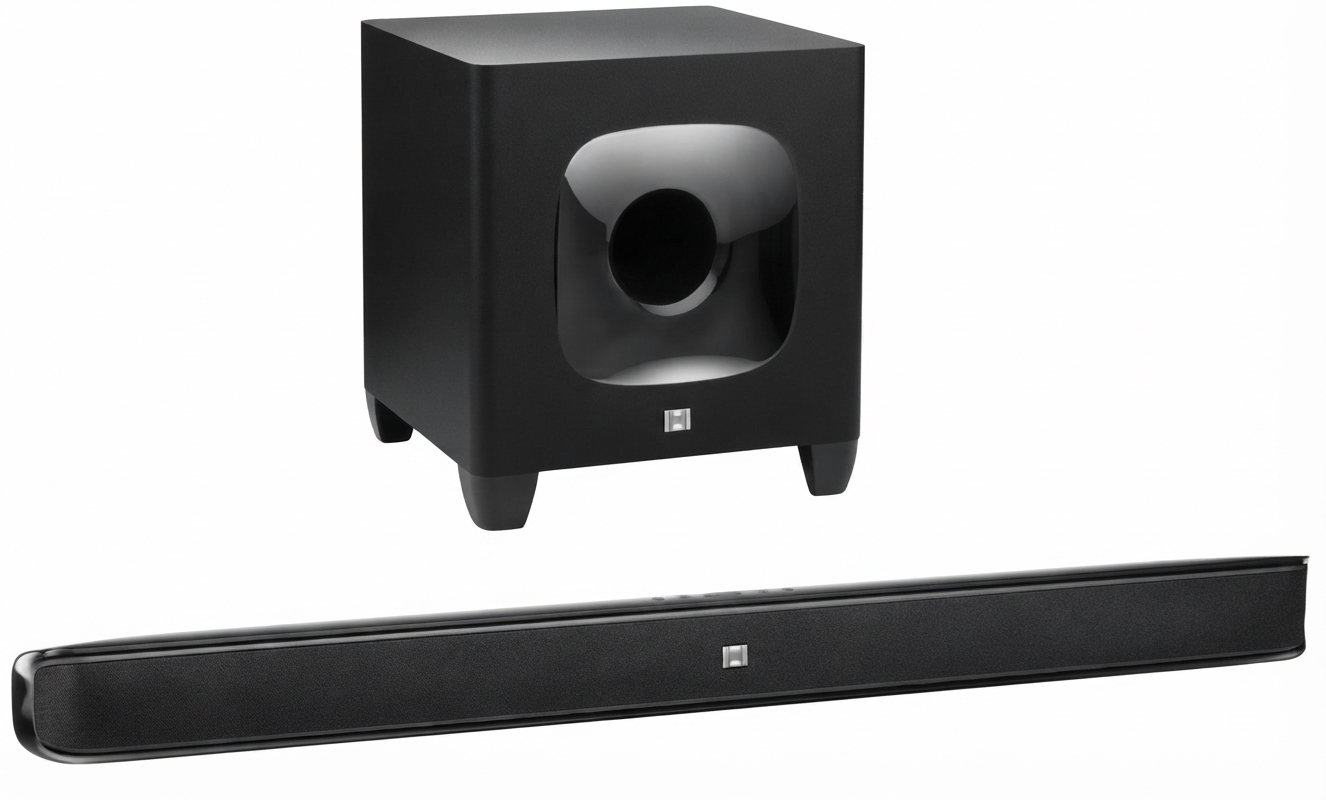
The JBL CINEMA SB400 Soundbar Speaker is a 2.1-channel home audio system designed to upgrade TV sound with a slim soundbar and a wireless subwoofer. It is built for users who want clearer dialogue, fuller bass, and a simple setup without the complexity of a full surround system. With HDMI connectivity, optical input support, and Bluetooth streaming, it works well for movies, sports, gaming, and everyday TV viewing.
This model is especially appealing to apartment owners, casual home theater users, and anyone replacing weak built-in TV speakers. The soundbar uses a wide front sound stage and a dedicated subwoofer to create a more immersive listening experience than standard TV audio. The overall design is practical for medium-sized living rooms, and the wireless subwoofer helps reduce cable clutter while adding deep bass for action scenes and music playback.
At launch and in the used/refurbished market, the JBL CINEMA SB400 Soundbar Speaker typically falls in the mid-range price tier, with availability varying by region and seller. Because it is an older model, most buyers will find it through resale, refurbished listings, or remaining warehouse stock rather than major retail shelves. For users seeking a reliable, easy-to-use soundbar with solid power and a clean profile, it remains a strong value-oriented option.
Specifications for JBL CINEMA SB400 Soundbar Speaker
- System type: 2.1-channel soundbar with wireless subwoofer
- Soundbar frequency response: 38Hz to 20kHz
- Soundbar amplifier power: 60 watts peak per channel
- Soundbar drivers: two 2-1/4-inch midrange cones per channel and one 1-inch dome tweeter per channel
- Subwoofer driver: one 8-inch down-firing cone
- Subwoofer power: 100 watts RMS, 200 watts peak
- Total system power is designed for strong living-room playback and boosted bass performance
- Power requirement: 100V to 240V, 50/60Hz
- Power consumption: less than 0.5W standby; 60W soundbar maximum; 100W subwoofer maximum
- Soundbar dimensions: 95mm x 1100mm x 64mm
- Subwoofer enclosure: ported cabinet design
- Connectivity: HDMI inputs, HDMI ARC support, optical digital input, analog input, and Bluetooth on supported versions
Compared with compact budget soundbars, the JBL CINEMA SB400 Soundbar Speaker offers a larger cabinet, deeper bass extension, and a more powerful external subwoofer. Compared with newer premium models, it lacks modern smart features such as voice assistants and app-based tuning, but it still delivers robust home-theater sound and straightforward operation.
Setup Guide for JBL CINEMA SB400 Soundbar Speaker
Place the soundbar directly below your TV so the front drivers face the listening area without obstruction. Position the wireless subwoofer near a wall or front corner for stronger bass, but avoid enclosing it inside a cabinet. Connect the soundbar to your TV using HDMI ARC if available, since this usually provides the simplest control and best integration. If HDMI ARC is not supported, use the optical digital input for a clean digital signal.
After connecting the cables, plug in both units and power them on. Select the correct TV audio output setting, then choose HDMI ARC or optical output in the television menu. If your version supports Bluetooth, activate pairing mode on the soundbar and pair it with a phone, tablet, or laptop for wireless music playback.
If there is no sound, check that the TV audio output is not muted and confirm the input selection on the soundbar. If the subwoofer does not connect automatically, move it closer to the soundbar and restart both devices. Keep ventilation space around the units, avoid water exposure, and do not place heavy objects on the soundbar. For best results, use the soundbar on a stable surface and keep power cables away from heat sources.
Pros and Cons of JBL CINEMA SB400 Soundbar Speaker
Pros
- Strong bass performance from the wireless 8-inch subwoofer
- Clear dialogue and good midrange detail for movies and TV
- Easy setup with HDMI ARC and optical input options
- Wide soundbar design improves front-channel spread
- Good value for users who want better sound without a full receiver system
Cons
- No modern smart features such as Wi-Fi streaming or voice assistant integration
- Large soundbar footprint may not suit smaller TV stands
- Older design means availability is limited and usually depends on used or refurbished stock
- Not as feature-rich as newer Dolby Atmos soundbars
- Some users may prefer a more compact all-in-one solution
In value-for-money terms, the JBL CINEMA SB400 Soundbar Speaker remains attractive if found at the right price. It competes best against older 2.1-channel models and still offers more substantial bass than many slim entry-level bars. Buyers who want modern streaming features may prefer newer alternatives, but users focused on sound quality and simplicity will still find it appealing.
Customer Reviews of JBL CINEMA SB400 Soundbar Speaker
Customer feedback for the JBL CINEMA SB400 Soundbar Speaker is generally positive, with many users praising the powerful bass, easy setup, and noticeable improvement over TV speakers. Common ratings in retail review systems have been around the 4-star to 4.5-star range, especially among buyers who value movie playback and strong low-end output.
Typical praise includes comments such as, “The subwoofer makes action scenes feel much bigger,” and “Dialogue is much clearer than my TV speakers.” Common complaints focus on size, older features, and occasional setup confusion with TV audio settings. Users who want a simple sound upgrade for film, sports, and everyday entertainment usually recommend it, while those seeking smart-home functions may look elsewhere.
Faqs
How do I set up the jbl CINEMA SB400 Soundbar Speaker for the first time?
Why is my jbl CINEMA SB400 Soundbar Speaker not producing sound from the TV?
How do I connect the jbl CINEMA SB400 Soundbar Speaker to a TV using HDMI ARC?
Can the jbl CINEMA SB400 Soundbar Speaker work with Bluetooth devices like phones and tablets?
What should I do if the wireless subwoofer on my jbl CINEMA SB400 Soundbar Speaker is not pairing?
How can I improve bass and surround sound on the jbl CINEMA SB400 Soundbar Speaker?
Is the jbl CINEMA SB400 Soundbar Speaker compatible with older TVs and non-HDMI devices?
How should I clean and maintain the jbl CINEMA SB400 Soundbar Speaker?
More jbl manuals
Leave a Comment