
Setup & Usage: Jbl Junior 320BT Headphones Usage Guide
Content
JBL Junior 320BT Headphones
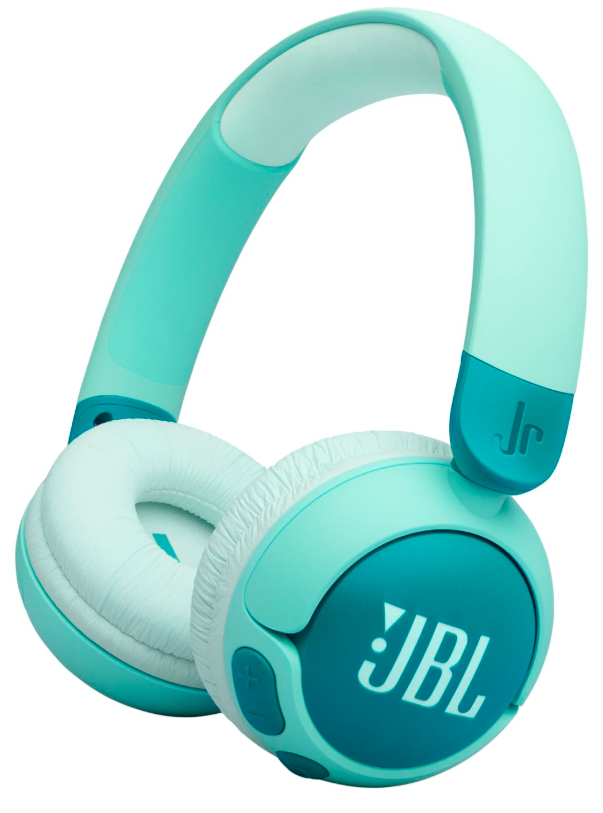
Introduction
The JBL Junior 320BT headphones are designed specifically for young listeners, offering a safe and enjoyable audio experience. These wireless on-ear headphones feature a maximum sound output of 85dB, ensuring that they are always safe for kids' ears. With durable oversized controls and a built-in microphone, they are perfect for kids to stay connected with family and friends while learning or playing. The headphones come in three fun colorways and include a JBL sticker set for personalization. They offer a long-lasting 50-hour battery life and quick charging via USB-C, making them ideal for daily use.
Targeted at parents seeking safe and reliable headphones for their children, the JBL Junior 320BT is a great choice for both educational and entertainment purposes. With an estimated price range of around $40, these headphones are affordably priced and widely available at major retailers. Using the JBL Headphones app, parents can customize volume limits and monitor listening habits, providing peace of mind.
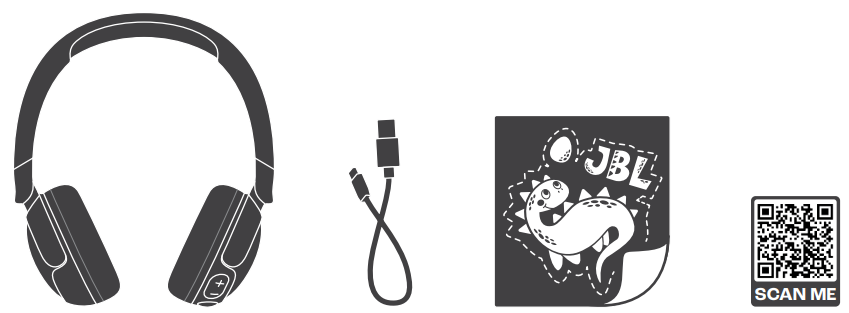
WHAT’S IN THE BOX
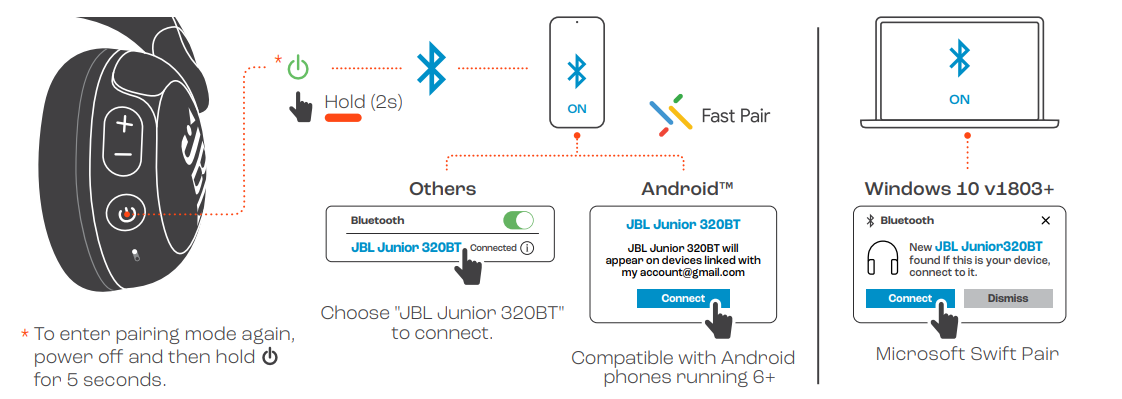
POWER ON & CONNECT
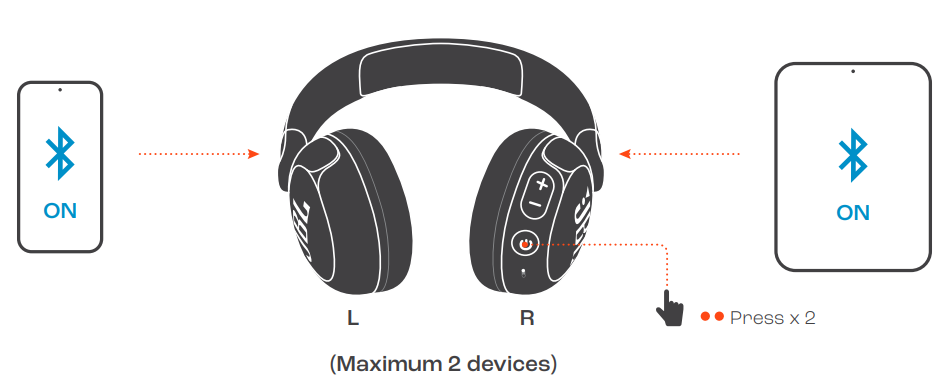
MULTI-POINT CONNECTION
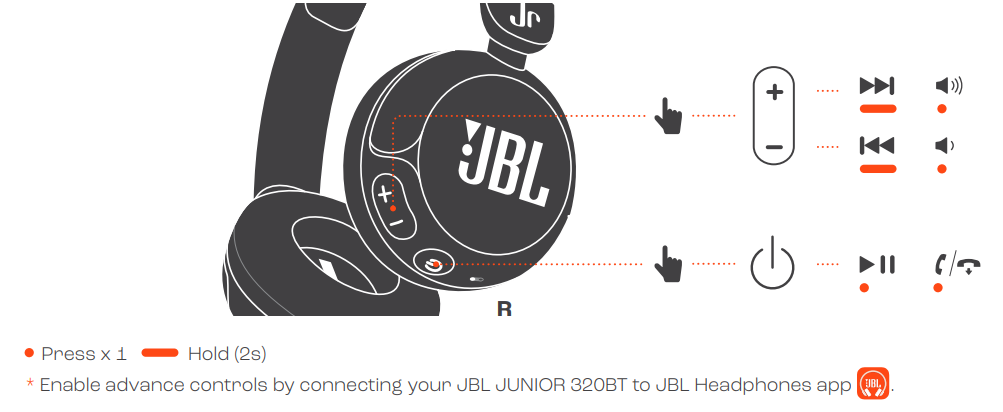
CONTROLS
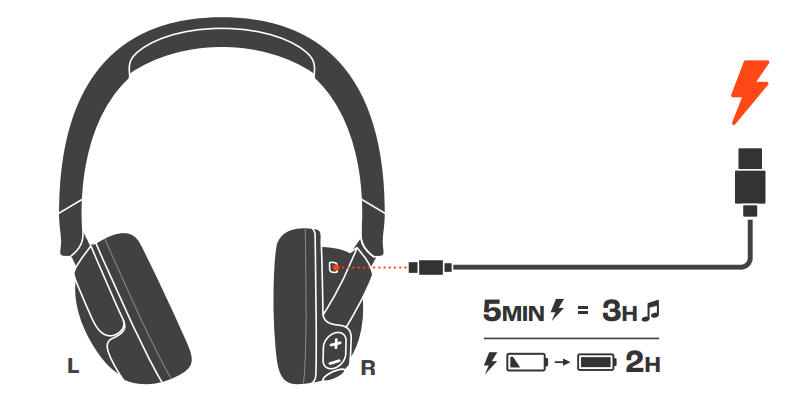
CHARGING
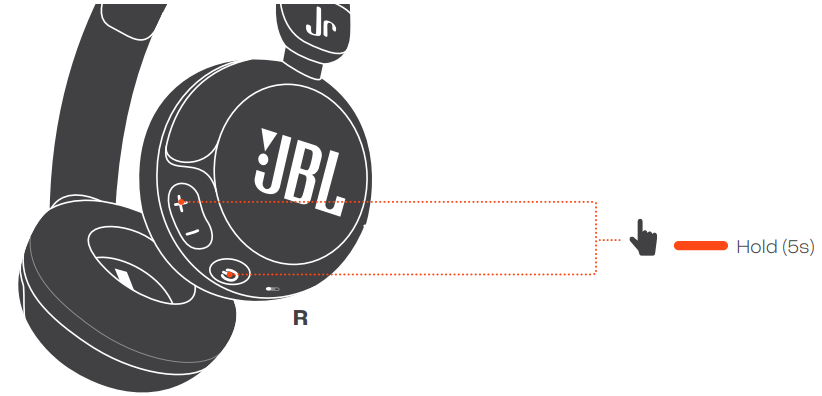
FACTORY RESET
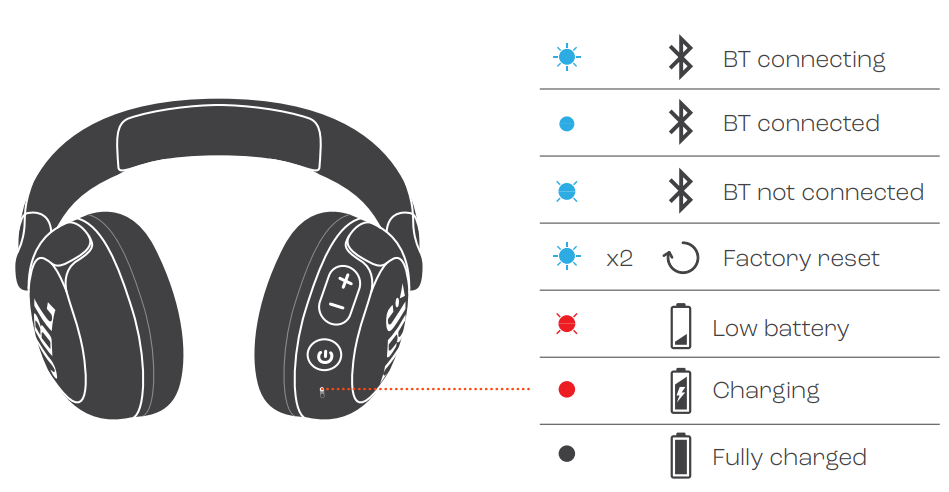
LED BEHAVIORS
TECH SPEC
- Mode:
- JUNIOR 320BT|
- Driver size:
- 32 mm / 1.26" Dynamic Driver
- Power supply:
- 5V ===1 A
- Weight:
- 124.5 g / 0.274 Ibs
- Battery type:
- Lithium-ion battery (500 mAh / 3.7 V)
- Charging time:
- < 2 hrs from empty
- Music playtime with BT on:
- Up to 50 hrs
- Talk time:
- Up to 40 hrs
- Frequency response:
- 20 Hz - 20 kHz
- Impedance:
- 34 ohm Sensitivity:80 dB SPL@1 kHz Maximum
- SPL:
- 81 dB
- Microphone sensitivity:
- -40 dBV/Pa@1 kHz
- Bluetooth version:
- 5.3
- Bluetooth profile version:
- A2DP V1.4, AVRCP V1.6.2, HFP V1.8
- Bluetooth transmitter frequency range:
- 2.4 GHz - 2.4835 GHz
- Bluetooth transmitter power:
- < 10 dBm (EIRP)
- Bluetooth transmitter modulation:
- GFSK, n/4 DOPSK, 8DPSK
- Maximum operation temperature:
- 45 °C
Troubleshooting JBL Junior 320BT Headphones
Common issues with the JBL Junior 320BT can often be resolved with simple troubleshooting steps:
- Bluetooth Connection Issues: Ensure the headphones are properly paired with your device, and restart both if necessary.
- Low Volume: Check the volume settings in the JBL Headphones app to ensure they are not limited.
- Quick Battery Drain: Ensure the headphones are fully charged before use, and avoid using them in extreme temperatures.
For more complex issues, contact JBL support, which offers a 12-month warranty. You can reach them through their official website or by visiting a local service center.
Pros and Cons of JBL Junior 320BT Headphones
Pros
- Safe Sound Limit: The headphones never exceed 85dB, protecting children's hearing.
- Long Battery Life: Up to 50 hours of playback ensures extended use without needing frequent recharges.
- Parental Control: The JBL Headphones app allows for customizable volume limits and listening time.
- Comfortable Fit: A 12mm thick soft pad on the headband provides long-wearing comfort.
Cons
- On-Ear Design: Some users might prefer over-ear designs for better sound isolation.
- Limited Audio Range: The sound quality, while safe, might not be as rich as higher-end models.
Overall, the **JBL Junior 320BT Headphones** offer excellent value for money, providing a safe and enjoyable listening experience for kids.
Customer Reviews for JBL Junior 320BT Headphones
Customers have praised the JBL Junior 320BT for their comfort, durability, and parental control features. Many appreciate the long battery life and safe sound limits, which provide peace of mind for parents. Common praises include the ease of use and customization options via the JBL Headphones app. However, some users note that the sound quality is not as immersive as other models. Overall, the headphones receive high ratings for their intended use case.
Star Rating: Typically around 4.5 out of 5 stars.
Testimonial: "These headphones are perfect for my kids. The parental controls are great, and the design is very comfortable. Highly recommended!"
Faqs
How do I set up jbl Junior 320BT Headphones for the first time?
What should I do if jbl Junior 320BT Headphones are not connecting via Bluetooth?
Can I use jbl Junior 320BT Headphones with multiple devices simultaneously?
How do I maintain the battery life of my jbl Junior 320BT Headphones?
What are the key features that make jbl Junior 320BT Headphones safe for kids?
How do I customize volume limits and playtime on jbl Junior 320BT Headphones?
Can I use jbl Junior 320BT Headphones with non-Bluetooth devices?
How often should I clean and maintain my jbl Junior 320BT Headphones?
More jbl manuals
- Pairing & Setup: Jbl Junior 470NC Headphones User Guide
- Pairing & Setup: Jbl Control 1 Pro Loudspeaker Step by Step Guide
- Usage & Pairing: Jbl Live Beam 3 Earphones Usage Guide
- Pairing & Usage: Jbl Tour One M3 Smart Tx Headphones User Guide
- Usage & Pairing: Jbl Live Buds 3 Instruction Guide
- Jbl Two-Way Loudspeaker Control 1 Pro Instruction Manual
Leave a Comment