
How to Setup: Jbl Tuner 3 Speaker User Manual
Content
JBL Tuner 3 Speaker
Introduction
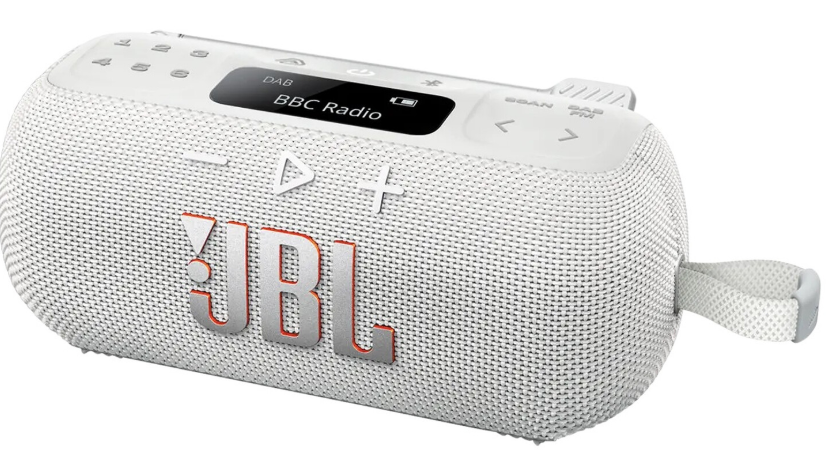
The **JBL Tuner 3 Speaker** is a versatile, portable audio solution designed to deliver crystal-clear sound with its powerful 45 mm speaker, offering up to 15 hours of playtime, including an extra 3 hours with Playtime Boost. This speaker combines the capabilities of DAB/DAB+/FM radio with Bluetooth streaming, making it perfect for music lovers and radio enthusiasts alike. Key benefits include its IP68 waterproof and dustproof rating, allowing it to withstand various environments, and multi-speaker connection via Auracast, enabling seamless stereo pairing and expanded coverage. The speaker is crafted with eco-friendly materials, featuring recycled plastic and fabric, and is packaged in FSC-certified paper. It is available in the market at an estimated price range of $150 to $250, making it accessible to a wide audience.
Targeted at outdoor enthusiasts and those seeking a reliable, portable audio solution, the JBL Tuner 3 is ideal for camping, poolside parties, or simply enjoying music in the garden. Users can customize their sound experience using the JBL Portable app, ensuring the perfect audio for any mood or setting.
BUTTONS
LANGUAGE SETTING
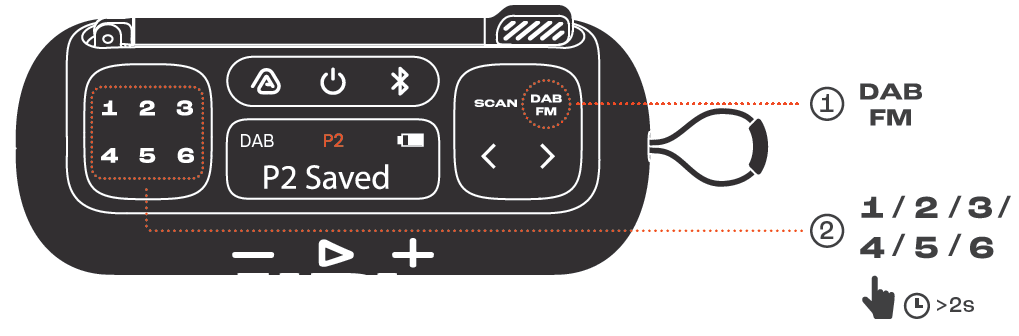
RADIO
RADIO PRESET
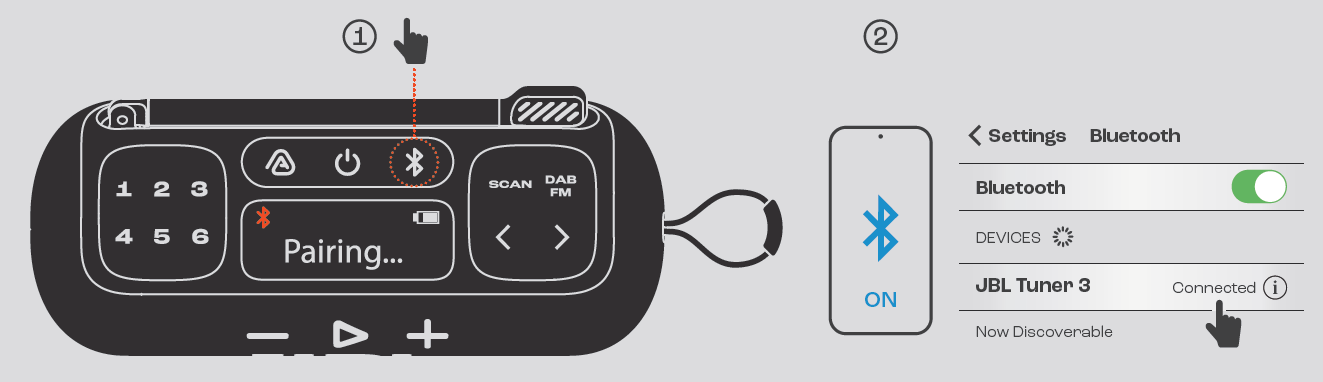
BLUETOOTH PAIRING
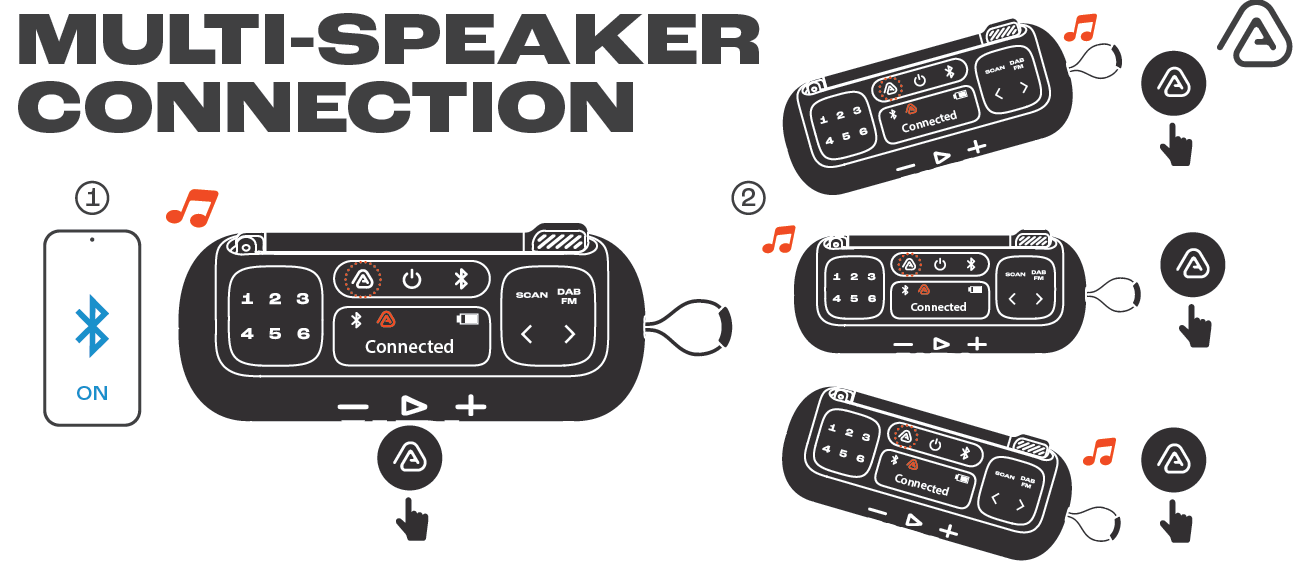
MULTI-SPEAKER CONNECTIO
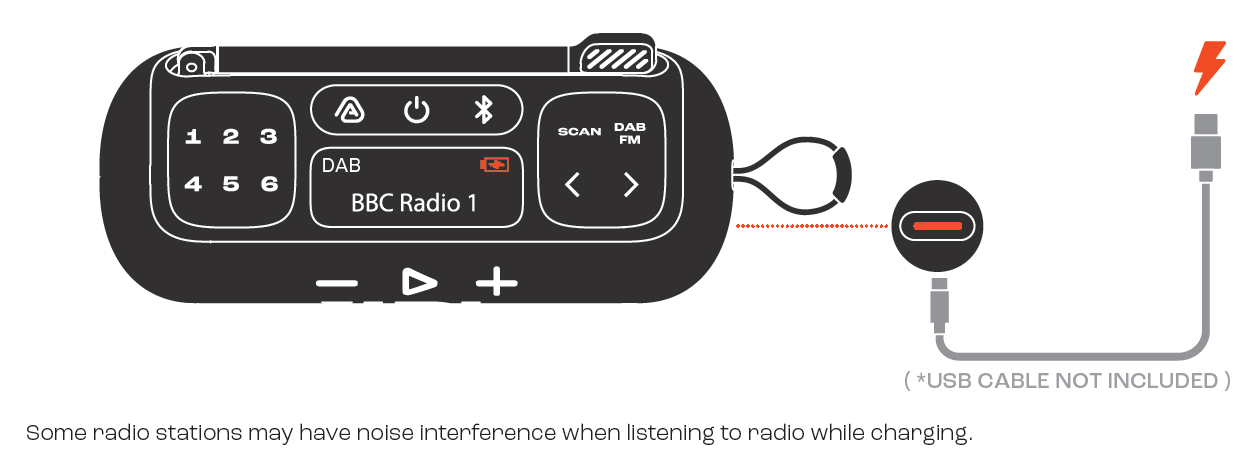
CHARGING
TECH SPEC
- Transducer:1 x 1.75"
- Rated output power: 7 W RMS
- Frequency response: 75 Hz - 20 kHz (-6 dB)
- Signal-to-noise ratio: 80 dB
- Battery type: Lithium-ion 9.0 Wh
- Battery charge time:3.5 hours (5 V / 1.35 A)
- Charging input 5 V, 1.35 A (maximum)
- Music playing time: Up to 12 hours of playtime plus 3 hours with Playtime Boost (dependent on volume level and audio content)
- Maximum operation temperature: 45 °C
- Connection ports: USB-C (in)
- Bluetooth® version: 5.3
- * Waterproof and Dustproof IP68 (1.5 m / 30 mins)
- Bluetooth® profile: A2DP 1.4, AVRCP 1.6
- Bluetooth® transmitter modulation: GFSK, π/4 DQPSK
- Bluetooth® transmitter frequency range: 2400 MHz - 2483.5 MHz
- Bluetooth® transmitter power: < 9 dBm (EIRP)
- Product dimensions (W x H x D): 174.7 x 73.1 x 71.3 mm / 6.88" x 2.88" x 2.81" (excluding strap and antenna)
- Net weight: 0.5 kg / 1.10 lbs
- Packaging dimensions (W x H x D): 208.5 x 76 x 93.5 mm / 8.21" x 2.99" x 3.68"
- Gross weight: 0.64 kg / 1.41 lbs
Troubleshooting the JBL Tuner 3 Speaker
Here are some common issues and solutions for the JBL Tuner 3:
- Connection Issues: Ensure Bluetooth is enabled on both devices and that they are within range. Restart the speaker if necessary.
- Volume or Sound Quality: Check the volume levels and ensure no obstructions are blocking the speaker. Adjust settings via the JBL Portable app if needed.
- Battery Life: Monitor usage patterns and adjust volume levels to conserve battery. Use Playtime Boost for extended playtime.
- Warranty and Support: The JBL Tuner 3 comes with a standard warranty. For support, contact JBL customer service at their official website or local support numbers.
Pros & Cons of the JBL Tuner 3 Speaker
Here's a balanced assessment of the JBL Tuner 3:
Pros
- Crystal Clear Sound: Offers powerful and clear audio with a robust bass response.
- Portability and Durability: Waterproof and dustproof with a long-lasting battery.
- Multi-Speaker Connection: Enables seamless pairing with other Auracast-enabled speakers.
- Eco-Friendly Design: Uses recycled materials and sustainable packaging.
Cons
- Price Point: May be slightly higher than some competitors.
- Size and Weight: Larger than some ultra-portable options.
- No Built-in Microphone: Limits hands-free calling capabilities.
Overall, the JBL Tuner 3 offers excellent value for money, especially considering its robust features and durable design.
Customer Reviews of the JBL Tuner 3 Speaker
Users have praised the JBL Tuner 3 for its clear sound quality and robust build. Common complaints include the slightly larger size compared to ultra-portable speakers and the lack of a built-in microphone. However, the majority appreciate its portability and durability, making it a top choice for outdoor use. With an average rating of 4.5 out of 5 stars, it is highly recommended for those seeking a reliable audio companion.
Faqs
How do I set up my JBL Tuner 3 Speaker for the first time?
What should I do if my JBL Tuner 3 Speaker is not connecting to Bluetooth?
Can the JBL Tuner 3 Speaker connect multiple speakers for stereo sound?
How long does the battery last on the JBL Tuner 3 Speaker, and how can I extend playtime?
Is the JBL Tuner 3 Speaker suitable for outdoor use and how durable is it?
How do I update the firmware on my JBL Tuner 3 Speaker?
What audio features make the JBL Tuner 3 Speaker stand out compared to other portable radios?
How should I clean and maintain my JBL Tuner 3 Speaker to ensure long-term performance?
More jbl manuals
Comments ( 1 )
Leave a Comment
Denise Meyer
I have been using the JBL Tuner 3 for a few weeks now without any problems. Suddenly I get a no signal message and cannot get the radio to play. I have done the soft and hard resets, etc. but problem remains. What else can I try?