
Setup: Jlab Jbuds Soprt ANC 4 Earbuds User Manual
Content
JLab JBuds Sport ANC 4 Earbuds
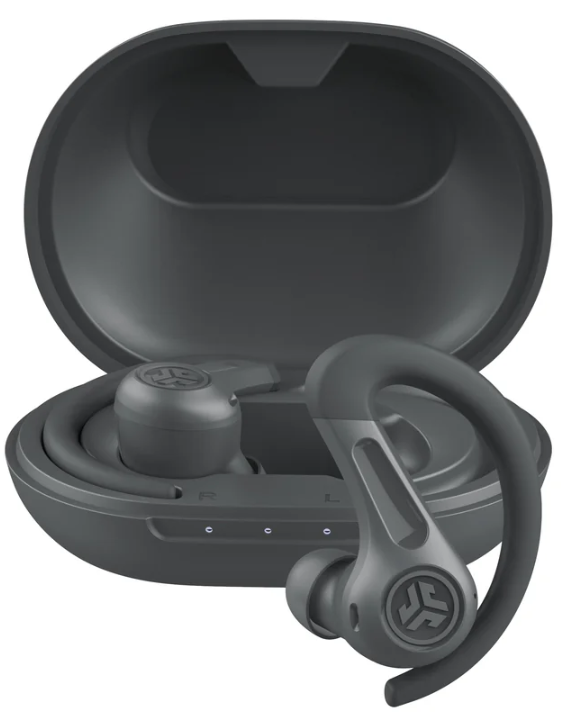
Introduction
The JLab JBuds Sport ANC 4 Earbuds are designed to enhance your active lifestyle with superior sound quality, comfort, and durability. These earbuds are perfect for fitness enthusiasts, commuters, and anyone looking for a reliable audio experience during workouts or daily activities. Key benefits include Hybrid Active Noise Cancellation, long battery life, and intuitive touch controls. Targeted at those seeking a balance between performance and affordability, the JLab JBuds Sport ANC 4 Earbuds typically retail in the range of $69.99 to $99.99 and are widely available across various online platforms.
With features like Bluetooth Multipoint, Google Fast Pair, and wireless charging, these earbuds offer seamless connectivity and convenience. The JLab App allows users to customize sound settings and control their audio experience personally. Whether you're running, hitting the gym, or enjoying music on the go, the JBuds Sport ANC 4 provides a secure fit and clear audio with its ergonomic design and noise-canceling technology
BLUETOOTH PAIRING
Take earbuds out of case and remove stickers. Place back in case and close door
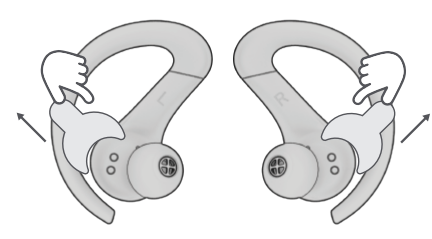
White light on case indicates charge. 2 Remove earbuds from case.
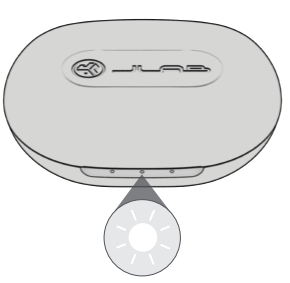
One earbud will blink blue/white indicating 3 ready to pair to your device.
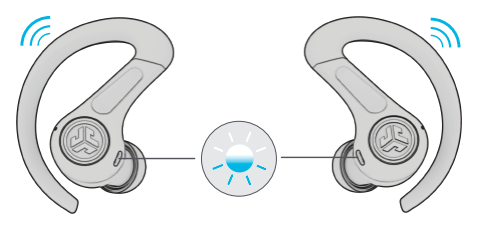
Select “JLab JBuds Sport ANC 4” in your device's Bluetooth settings.
Voice prompt “Bluetooth connected” followed by blinking white lights will indicate you are connected.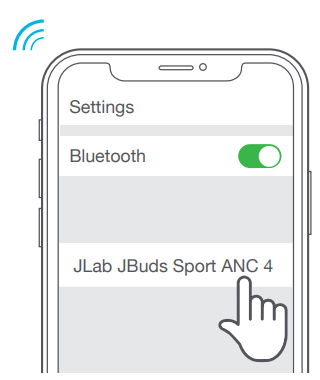
- ADDING DEVICES FOR MULTIPOINT:
Turn OFF Bluetooth from any previously connected device. Earbuds will automatically enter Bluetooth Pairing mode.
Turn ON Bluetooth from new device. Select “JLab JBuds Sport ANC 4” in device settings to connect.
Turn ON Bluetooth on previous device. Audio will switch automatically between devices.
GO AHEAD, PUSH THE BUTTON
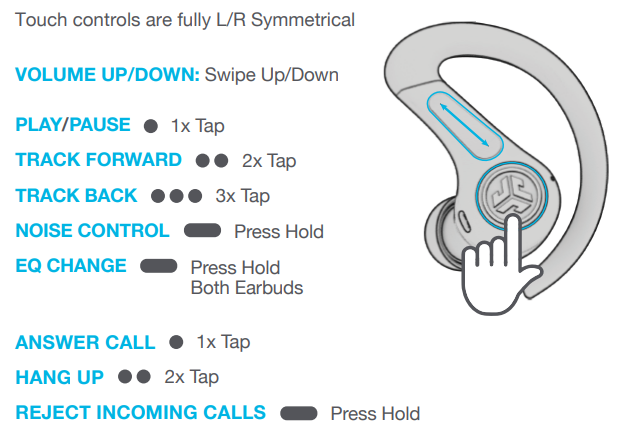
GET CHARGED (EARBUDS)
- Earbuds will power off and start charging when placed in the case.
- Earbuds will auto power on and connect to your device when removed.
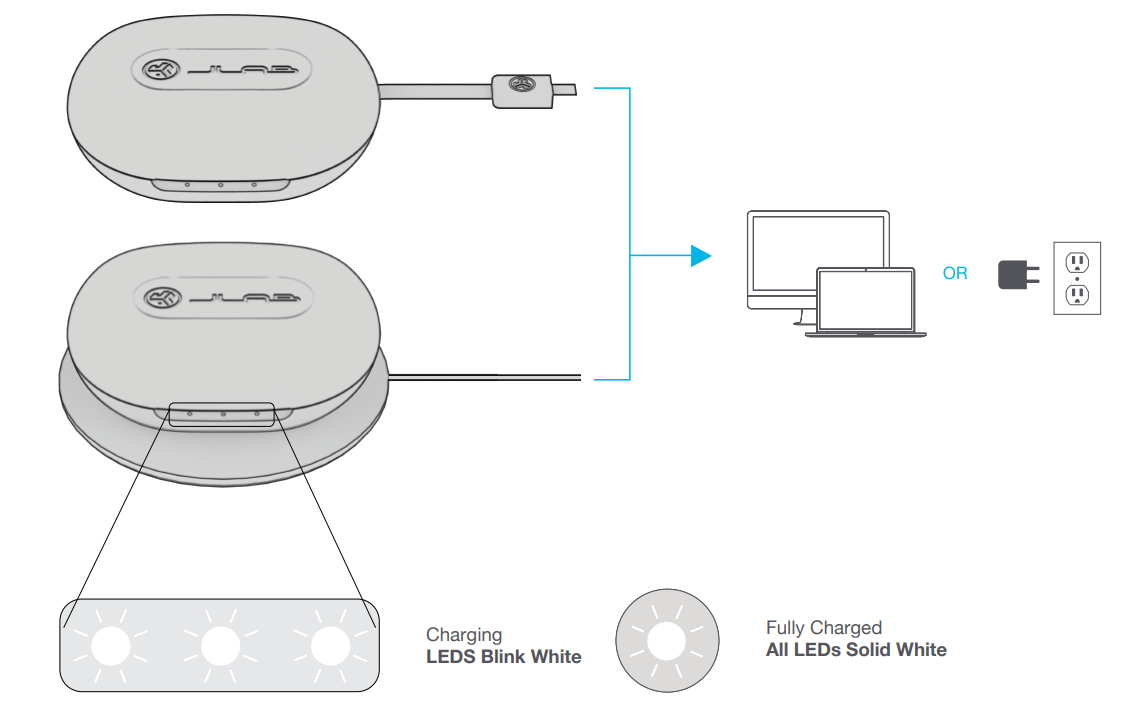
CHARGING CASE
Connect the JBuds Sport ANC 4 into a computer or USB-C 5V 1A (or less) output device.
Specifications of JLab JBuds Sport ANC 4 Earbuds
Here are the key specifications:
- Sound Features: Hybrid Active Noise Cancellation, Spatial Audio EQ, EQ3 Sound presets (JLab Signature, Balanced, Bass Boost)
- Technical Specifications: Frequency Response: 20 Hz - 20 kHz, Impedance: 16 Ohm, Bluetooth 5.2
- Battery Life: Up to 60+ hours of total Bluetooth playtime (ANC OFF), 40+ hours with ANC ON
- Design and Build: IP66 sweat and dust resistance, ergonomic earhook design for secure fit
- Connectivity: Bluetooth Multipoint, Google Fast Pair, Microsoft Swift Pair
- Additional Features: Wireless charging, USB-C charging, voice assistant integration
Compared to similar products, the JLab JBuds Sport ANC 4 Earbuds offer a competitive balance of features and price, making them a strong choice in the true wireless earbuds market.
Troubleshooting JLab JBuds Sport ANC 4 Earbuds
Common issues and solutions:
- Connection Issues: Ensure Bluetooth is enabled on all devices, and try restarting the earbuds.
- No Sound: Check earbud placement and volume settings.
- ANC Issues: Update the JLab App for the latest ANC settings.
- Preventive Measures: Regularly clean the earbuds and charging case.
The JLab JBuds Sport ANC 4 Earbuds come with a 2-year warranty.
Pros and Cons of JLab JBuds Sport ANC 4 Earbuds
Pros:
- Long Battery Life: Offers up to 60+ hours of playtime.
- Hybrid ANC: Effective noise cancellation with ambient sound mode.
- Customizable Sound: Personalize sound settings via the JLab App.
- Secure Fit: Ergonomic design ensures they stay in place during workouts.
Cons:
- ANC Performance: May not be as effective in very noisy environments.
- No Water Resistance: Although IP66 rated, not designed for underwater use.
- App Dependence: Full customization requires the JLab App.
Overall, the JLab JBuds Sport ANC 4 Earbuds offer excellent value for their price, providing a strong feature set and user experience.
Customer Reviews of JLab JBuds Sport ANC 4 Earbuds
Customers praise the JLab JBuds Sport ANC 4 Earbuds for their comfort, sound quality, and long battery life. With a 4.3-star rating across over 570 reviews, common praises include the effective noise cancellation and intuitive touch controls. Some users note that the ANC might not be as strong in very loud environments, but overall, these earbuds are well-recommended for active users seeking a reliable audio experience.
For those considering purchasing, these earbuds are a solid choice for workouts and daily use, offering a great balance of features at an affordable price.
Faqs
How do I set up jlab Jbuds Sport ANC 4 Earbuds for the first time?
What should I do if my jlab Jbuds Sport ANC 4 Earbuds are not working properly?
Can I use jlab Jbuds Sport ANC 4 Earbuds with multiple devices simultaneously?
How do I optimize the sound quality of my jlab Jbuds Sport ANC 4 Earbuds?
What are the key features that make jlab Jbuds Sport ANC 4 Earbuds different?
How often should I clean my jlab Jbuds Sport ANC 4 Earbuds?
Can I use jlab Jbuds Sport ANC 4 Earbuds with Android devices using Google Fast Pair?
How do I customize the controls on my jlab Jbuds Sport ANC 4 Earbuds?
More jlab manuals
Leave a Comment