
Setup: Rewire Security RX-1s Body Worn Camera User Manual
Content
Introduction to the Rewire Security RX-1s Body Worn Camera
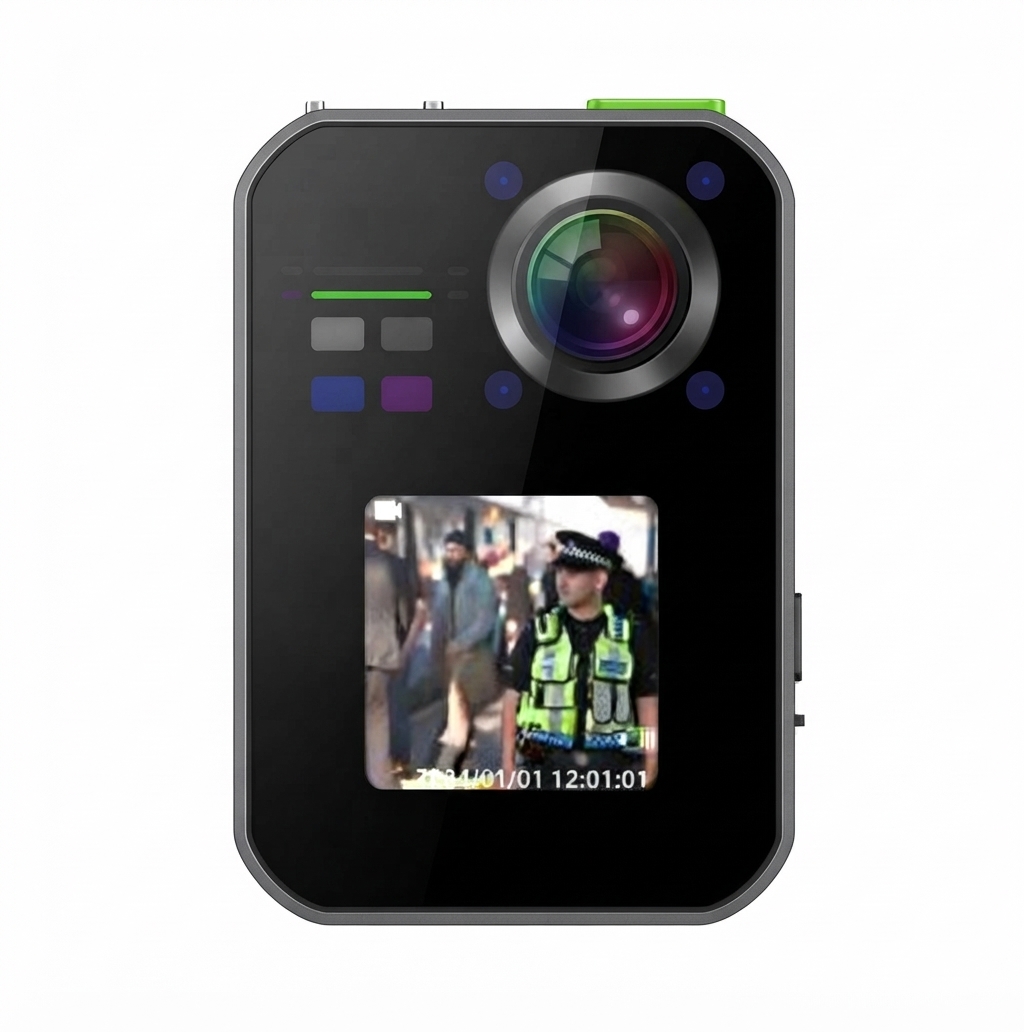
The Rewire Security RX-1s Body Worn Camera is a cutting-edge solution designed for law enforcement, security personnel, and private investigators seeking reliable, high-definition video evidence. With its rugged build, advanced recording features, and seamless integration, the RX-1s delivers professional-grade performance in demanding environments. This body worn camera is engineered to capture clear, timestamped footage, ensuring accountability and transparency in every operation.
Key benefits include 1080p HD video recording, long battery life, and robust data encryption for secure evidence storage. The RX-1s features intuitive controls, a wide-angle lens, and real-time streaming capabilities, making it ideal for patrol, incident documentation, and covert operations. Its compact design ensures comfort during extended wear, while the durable housing withstands drops, dust, and water exposure.
Target users include police departments, private security firms, and event management teams. The Rewire Security RX-1s Body Worn Camera is available for purchase through authorized distributors and select online retailers, with an estimated price range of $299–$399. Its combination of reliability, advanced features, and competitive pricing makes it a top choice for professionals who demand the best in body worn camera technology.
Specifications: Rewire Security RX-1s Body Worn Camera
- Video Resolution: 1080p Full HD at 30fps
- Field of View: 120° wide-angle lens
- Storage: 64GB internal, expandable via microSD (up to 256GB)
- Battery Life: Up to 12 hours continuous recording
- Connectivity: Wi-Fi 5, Bluetooth 5.0, USB-C for fast data transfer
- Streaming: Real-time live streaming via secure cloud platform
- Encryption: AES-256 for secure video and audio files
- Water Resistance: IP67 rated (dust and water resistant)
- Dimensions: 2.8 x 1.6 x 0.9 inches
- Weight: 4.2 oz
- Mounting: 360° rotating clip for versatile placement
Compared to similar models, the RX-1s offers superior battery life, higher resolution, and more robust encryption, making it a standout in the body worn camera market.
Setup Guide: Rewire Security RX-1s Body Worn Camera
Setting up the Rewire Security RX-1s Body Worn Camera is simple and straightforward. Begin by charging the device using the included USB-C cable. Power on the camera by pressing and holding the power button for 3 seconds. To pair with your smartphone or tablet, enable Bluetooth and Wi-Fi, then download the official Rewire Security app from the App Store or Google Play.
Follow the in-app instructions to connect the RX-1s to your device. You can configure recording settings, enable live streaming, and set up user profiles. For optimal performance, ensure the camera is securely mounted using the 360° rotating clip. Always update the firmware through the app to access the latest features and security patches.
Troubleshooting Tips: If the camera fails to connect, restart both devices and ensure Bluetooth and Wi-Fi are enabled. If the battery drains quickly, check for background apps and disable unnecessary features.
Safety Warnings: Do not use the camera in extreme temperatures or submerge it in water beyond the IP67 rating. Always handle with care to avoid damage.
Troubleshooting: Common Issues and Solutions
- Camera won’t power on: Ensure the battery is charged. Try a different USB cable or charger.
- Wi-Fi/Bluetooth connection fails: Restart the camera and your device. Check for firmware updates.
- Video quality is poor: Clean the lens and ensure adequate lighting. Adjust recording settings in the app.
- Storage full error: Delete old files or insert a microSD card.
- Live streaming lag: Check your internet connection and reduce video resolution if needed.
Preventive measures include regular firmware updates, proper storage, and avoiding exposure to extreme conditions. The Rewire Security RX-1s Body Worn Camera comes with a 1-year limited warranty. For support, contact Rewire Security customer service at support@rewiresecurity.com or visit their official website.
Pros & Cons: Rewire Security RX-1s Body Worn Camera
Pros
- Excellent 1080p HD video quality
- Long battery life (up to 12 hours)
- Robust AES-256 encryption for secure data
- IP67 water and dust resistance
- Easy setup and intuitive app interface
- Competitive price for professional features
Cons
- MicroSD card sold separately
- App occasionally requires updates for new features
- Live streaming may lag on slower networks
The RX-1s offers outstanding value for money, especially for users who need reliable, high-quality body worn camera performance. Compared to alternatives, it stands out for its battery life and security features.
Customer Reviews: Rewire Security RX-1s Body Worn Camera
Users consistently rate the Rewire Security RX-1s Body Worn Camera 4.7 out of 5 stars. Many praise its clear video quality, long battery life, and ease of use. Common feedback includes: “Perfect for daily patrols,” “Great for evidence collection,” and “App makes management simple.” Some users mention the need for a microSD card and occasional app updates, but overall satisfaction is high. Customers recommend the RX-1s for law enforcement, security, and investigative work, citing its reliability and professional features.
Faqs
How do I set up the rewire security RX-1s Body Worn Camera for the first time?
What should I do if the rewire security RX-1s Body Worn Camera is not recording or turning on?
Can the rewire security RX-1s Body Worn Camera record in low light or night conditions?
Is the rewire security RX-1s Body Worn Camera compatible with docking stations for automatic data upload?
How long does the battery last on a full charge for the rewire security RX-1s Body Worn Camera?
What are the best practices to maintain and care for the rewire security RX-1s Body Worn Camera?
How can I optimize video quality settings on the rewire security RX-1s Body Worn Camera?
What should I do if the rewire security RX-1s Body Worn Camera is running out of storage quickly?
More rewire security manuals
- Setup: Rewire Security RX-5 V2 Body Worn Camera User Manual
- Setup: Rewire Security 102 Nano GPS Tracker User Manual
- Usage: Rewire Security RX-3LITE v2 Body Worn Camera User Manual
- Usage: Rewire Security E-Bike GPS Tracker User Manual
- Setup: Rewire Security RX-3 Pro Body Worn Camera User Manual
- Setup: Rewire Security 103-RS / 103-RS+ GPS Tracker User Manual
Leave a Comment