
Smart Technologies SRS-LYNC-XS Microsoft Lync Room System User Manual
Content
smart technologies SRS-LYNC-XS Microsoft Lync Room System: Product Manual Overview
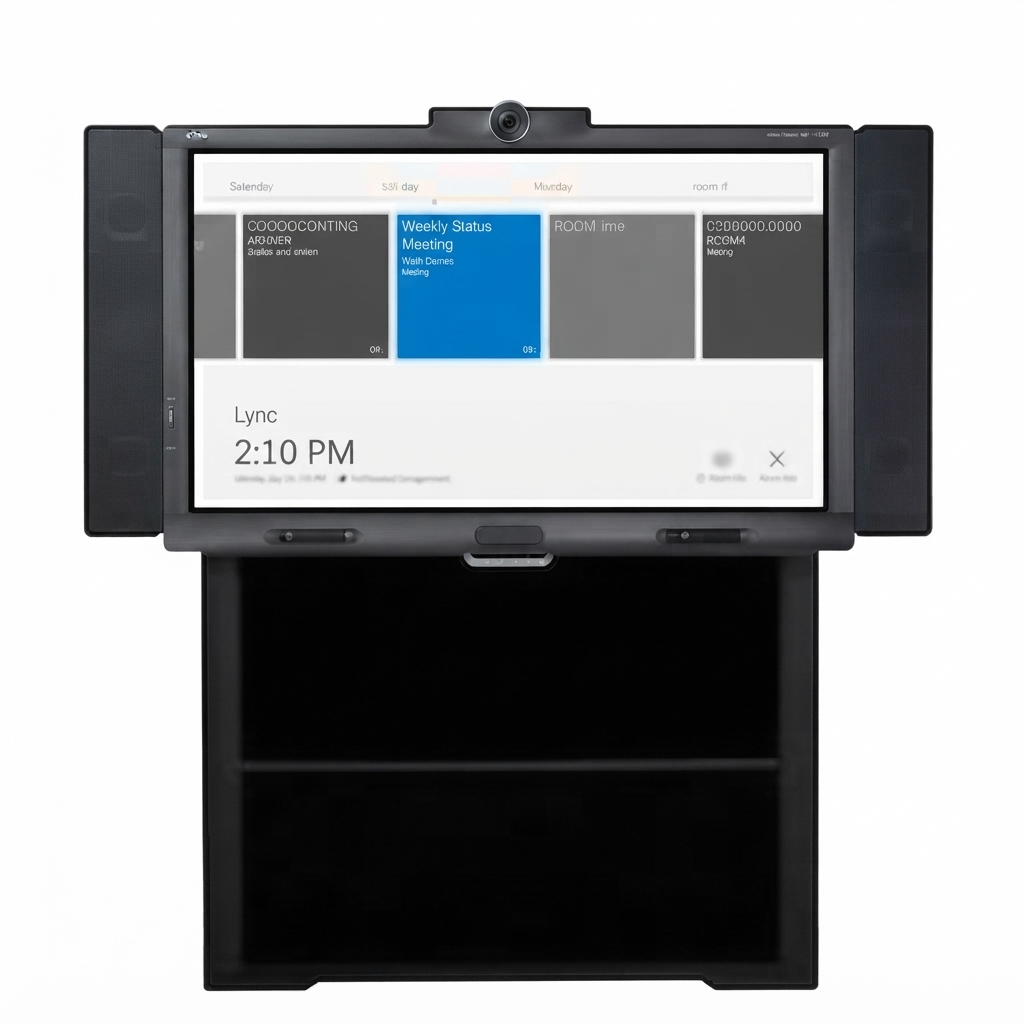
The smart technologies SRS-LYNC-XS Microsoft Lync Room System is an all-in-one meeting room solution designed for extra small collaboration spaces. Built for roughly four people in a room of about 7 m², it combines an interactive flat panel, HD video conferencing hardware, a tabletop console, microphones, and speakers into a single streamlined package. The system is intended to simplify Lync-based meetings by letting users start calls, share content, and annotate directly on the display with minimal setup.
Its main strengths are simplicity, space efficiency, and tight integration with Microsoft Lync room software. This makes it a strong fit for executive huddle rooms, private offices, small team spaces, and client-facing meeting rooms where fast startup and easy content sharing matter. The SMART Board interactive display adds touch and whiteboarding capability, while the camera and audio components support natural face-to-face collaboration. For organizations standardizing on Microsoft Lync, the system offers a purpose-built room experience instead of a patchwork of separate devices.
As a legacy enterprise product, the SRS-LYNC-XS is typically available only through secondary markets, refurbished AV resellers, or remaining enterprise inventory. Estimated pricing can vary widely based on condition and included hardware, but buyers should expect a broad range rather than a fixed retail price. Organizations evaluating this model today should also compare it with newer Teams Rooms systems and modern interactive meeting room platforms for long-term support and software compatibility.
Technical Specifications for smart technologies SRS-LYNC-XS Microsoft Lync Room System
- Room size: extra small meeting rooms, approximately 7 m² or 75 sq. ft.
- Recommended capacity: about four people
- Display: one SMART Board 8055i interactive flat panel
- Display size: 54 5/8 in. diagonal, approximately 139 cm
- Core components: tabletop console, HD camera, table microphones, and speakers
- Primary function: one-touch meeting start, content sharing, and interactive whiteboarding
- Connectivity: designed for Microsoft Lync room software and optional laptop content input
- Installation options: optional wall stand kit available for mounted configurations
- Best use case: compact collaboration spaces requiring integrated audio, video, and touch interaction
- Benchmark comparison: more integrated than a DIY PC-plus-display setup, but less flexible than newer Microsoft Teams Rooms systems
Compared with conventional conference room bundles, this system is more purpose-built and simpler to operate. Compared with newer room collaboration products, it is more limited in modern software support but remains strong for organizations maintaining older Microsoft Lync environments.
Detailed Description of the SMART Room System for Extra Small Rooms
The smart technologies SRS-LYNC-XS Microsoft Lync Room System was engineered to turn a small room into a dedicated collaboration space. The interactive display serves as the central meeting surface, allowing users to write, draw, present slides, and share content in real time. The tabletop console acts as the meeting controller, giving users a familiar one-tap way to launch calls or join scheduled sessions. The HD camera, microphones, and speakers complete the room experience by supporting video conferencing and clear audio pickup.
In real-world use, the system is well suited to quick internal meetings, remote client discussions, training sessions, and collaborative planning. Teams can connect a laptop, use the whiteboard for brainstorming, or present PowerPoint content without moving between separate devices. The build quality reflects enterprise AV design, with the system centered on a durable SMART interactive panel and room-oriented hardware intended for daily use. The overall experience is streamlined and practical, especially in compact rooms where desk clutter and device complexity must be minimized.
Setup Guide: How to Install and Configure the SRS-LYNC-XS
Begin by placing the display in the room and confirming that the mounting surface or optional wall stand can support the hardware safely. Next, connect the display, console, camera, microphones, and speakers according to the room system layout. Power on the appliance and verify that the Microsoft Lync room software loads correctly.
After the hardware is connected, configure the room name, sign-in credentials, calendar integration, and audio-video settings. Test the camera framing, microphone pickup, and speaker volume before the first meeting. If a laptop will be used for guest sharing, confirm that the external video connection works as expected. Always route cables securely to avoid trip hazards and do not block vents or place equipment near heat sources.
If the console fails to pair or the display does not respond, check power, cable seating, and network connectivity first. Restart the appliance if the software becomes unresponsive. For best results, apply room calibration and verify that the touch input aligns properly with the display surface.
Troubleshooting the SMART Technologies SRS-LYNC-XS
Common issues include no video signal, audio echo, touch input problems, and failed room sign-in. If the display is blank, confirm that the panel is powered on, the input source is correct, and all video cables are secure. If the camera is not detected, inspect the USB or system connection and reboot the appliance.
For audio feedback or echo, reduce speaker volume, check microphone placement, and ensure the room is not using multiple open audio devices at once. If the touch screen is inaccurate, recalibrate the display and clean the surface with a suitable non-abrasive cloth. If the console does not respond, confirm that it is correctly connected to the room system and that the software has completed startup.
Preventive maintenance includes periodic cable checks, software updates where supported, and careful cleaning of the screen and camera lens. Because this is a legacy product, warranty coverage may be limited or unavailable depending on seller and current ownership history. Support is typically handled through SMART Technologies documentation, enterprise AV partners, or the reseller that supplied the unit.
Pros and Cons of the SRS-LYNC-XS Microsoft Lync Room System
Pros
- All-in-one room design simplifies setup and daily use.
- Excellent fit for very small meeting rooms and huddle spaces.
- Interactive whiteboard tools improve brainstorming and presentations.
- One-touch meeting control reduces training needs for staff.
- Integrated video, audio, and touch experience feels polished for enterprise use.
Cons
- Legacy Microsoft Lync-focused design limits modern platform flexibility.
- Availability is limited, so sourcing replacement parts can be difficult.
- Less suitable for larger rooms or growing teams.
- May require specialized AV knowledge for installation and maintenance.
- Value for money depends heavily on refurbished pricing and included accessories.
For organizations still running Lync-based meeting infrastructure, the system can be a smart investment. For new deployments, newer Teams Rooms alternatives usually offer better longevity and broader software support.
Customer Reviews of smart technologies SRS-LYNC-XS Microsoft Lync Room System
Typical user feedback highlights the system’s simplicity, compact footprint, and strong presentation experience. Many buyers rate it highly for small conference rooms, especially when they want a polished room system that starts meetings quickly and keeps cable clutter to a minimum.
Common praise includes the responsive touch display, clear room control, and easy content sharing. Common complaints focus on legacy software limitations, aging hardware availability, and the challenge of finding support for older installations. A typical testimonial might read: “Perfect for our four-person meeting room. It feels professional, easy to use, and much cleaner than a mix of separate devices.” Another common sentiment is: “Great for Lync, but not ideal if you need modern platform flexibility.”
Overall star ratings for refurbished enterprise room systems like this often land around 4 out of 5 when the unit is complete and fully functional. It is best recommended for buyers who specifically need a Microsoft Lync-compatible room system rather than a current-generation collaboration platform.
Faqs
How do I set up smart technologies SRS-LYNC-XS Microsoft Lync Room System for the first time in a meeting room?
What should I check if smart technologies SRS-LYNC-XS Microsoft Lync Room System is not joining meetings?
Which devices and software are compatible with smart technologies SRS-LYNC-XS Microsoft Lync Room System?
How do I improve audio and video quality on smart technologies SRS-LYNC-XS Microsoft Lync Room System?
What are the main features of smart technologies SRS-LYNC-XS Microsoft Lync Room System for conference rooms?
How often should smart technologies SRS-LYNC-XS Microsoft Lync Room System be maintained for reliable performance?
Why is the touch console on smart technologies SRS-LYNC-XS Microsoft Lync Room System unresponsive or slow?
How can I optimize smart technologies SRS-LYNC-XS Microsoft Lync Room System for larger meeting rooms and better collaboration?
More smart technologies manuals
- Smart Technologies GX-V2 Smart Board Display User Manual
- Features & Setup: Smart Technologies Document Camera 280 User Manual
- Smart Technologies 685ix2 Whiteboard System User Manual
- How to Use: Smart Technologies Board MX | MX Pro Series Interactive Displays User Manual
- Smart Technologies 330 Smart Document Camera User Manual
- How to Use: Smart Technologies Board M600 | M600V Series Interactive Whiteboards User Manual
Leave a Comment