
Tcl ELIT400NC On-Ear Wireless Bluetooth Headphone User Manual
Content
tcl ELIT400NC On-Ear Wireless Bluetooth Headphone: Complete Product Manual and Buyer Guide
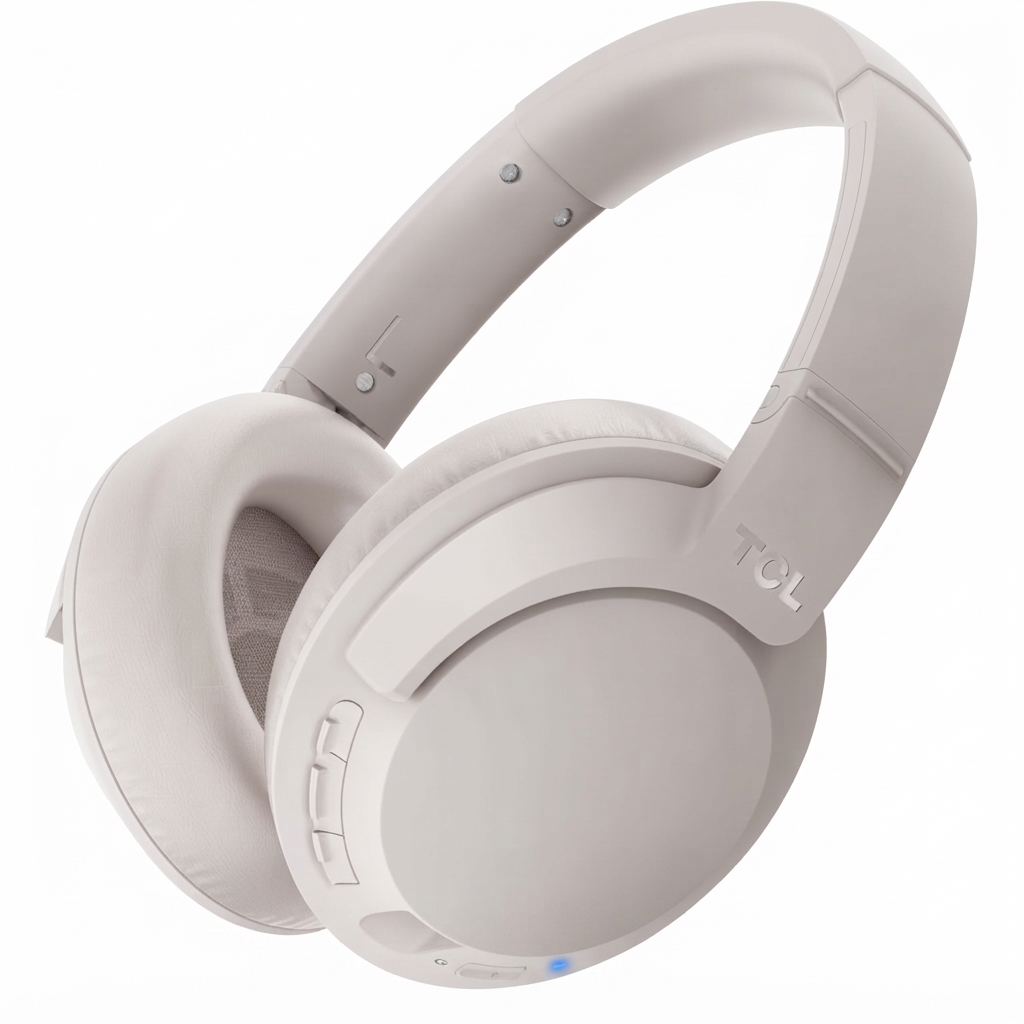
Introduction to the TCL ELIT400NC On-Ear Wireless Bluetooth Headphone
The tcl ELIT400NC On-Ear Wireless Bluetooth Headphone is a feature-rich wireless headset designed for listeners who want everyday comfort, strong wireless performance, and active noise cancellation in one affordable package. Built around 40 mm drivers, it delivers a balanced sound profile with clear mids, detailed highs, and solid bass response, making it a practical choice for music, podcasts, video calls, and travel. Its on-ear design offers a lightweight, foldable form factor that is easy to carry, while the integrated microphone and onboard controls make it suitable for hands-free calling and remote media control.
This model is especially appealing to commuters, students, office workers, and casual listeners who need a reliable Bluetooth headphone for daily use. One of its biggest advantages is flexibility: it supports wireless listening, wired playback, and noise reduction for noisy environments such as buses, airports, and shared workspaces. The battery life is another major selling point, with long listening time and quick-charge support for fast top-ups when you are in a hurry.
In most markets, the estimated price range is around budget to mid-range territory, typically near the $80 to $100 level depending on retailer, promotions, and region. Availability may vary by country, but TCL headphones in the ELIT line are commonly sold through electronics stores, online marketplaces, and official TCL support channels. For shoppers searching for a practical Bluetooth headphone with ANC and wired backup, this model remains a compelling value option.
Technical Specifications for TCL ELIT400NC Wireless ANC Headphones
- Product type: On-ear wireless Bluetooth headphone with built-in microphone
- Driver size: 40 mm dynamic drivers
- Frequency response: 9 Hz to 40 kHz for wide-range audio playback
- Impedance: 86 ohms
- Sensitivity: 94 dB
- Maximum power input: 50 mW
- Bluetooth version: Bluetooth 4.2
- Wireless range: Up to 10 meters in typical use
- Battery life: Up to 22 hours in wireless mode, with shorter life when ANC is enabled
- Fast charging: About 15 minutes of charging for several hours of playback
- Charging port: Micro-USB on many retail versions
- Connectivity: Wireless Bluetooth and wired 3.5 mm audio support
- Noise control: Active noise cancellation for better isolation
- Controls: Playback, volume, track change, and call management
- Portability: Foldable design for travel and storage
Compared with similar wireless ANC headphones in the same price class, the tcl ELIT400NC On-Ear Wireless Bluetooth Headphone stands out for its long battery life, wired fallback option, and strong feature set at a relatively modest price. It is not a premium flagship model, but it offers a well-rounded mix of performance and convenience that competes well with many entry-level ANC headphones.
Setup Guide: How to Pair and Use the TCL ELIT400NC Bluetooth Headphone
Setting up the TCL ELIT400NC is straightforward. First, fully charge the headphone before initial use to ensure stable battery performance. Next, power it on and activate pairing mode. On your phone, tablet, laptop, or other Bluetooth-enabled device, open the Bluetooth settings menu and select TCL ELIT400NC from the list of available devices. If prompted for a passcode, use 0000.
After pairing, test playback, microphone input, and button controls. If the connection is unstable, move closer to the source device, remove interference from other wireless devices, and confirm that the headphone is not already connected to another device. For wired listening, connect a compatible 3.5 mm audio cable and switch to cable mode when needed.
Useful configuration tips include adjusting volume from both the headphone and the source device, enabling ANC in noisy environments, and turning the headset off when not in use to preserve battery life. Avoid charging with damaged cables, exposing the headset to moisture, or using the product in extreme heat. Always store it in a safe, dry place after use.
Troubleshooting TCL ELIT400NC Common Problems and Fixes
If the headphone does not power on, charge it for at least 20 to 30 minutes and confirm the cable and power source are working. If Bluetooth pairing fails, delete the device from your phone’s Bluetooth list, restart both devices, and repeat the pairing process. When audio cuts out, reduce the distance between the headphone and the source device and keep away from Wi-Fi routers, microwaves, and other interference sources.
If sound is too low or unbalanced, check volume settings on both the headphone and playback device, then inspect the audio cable if you are using wired mode. If ANC seems weak, confirm that the headset is properly seated on the ears and that the feature is turned on. There are no commonly used user-facing error codes for this model, but repeated reset or pairing failures usually point to low battery, interference, or a Bluetooth memory conflict.
For long-term reliability, charge the battery before it fully drains, keep the ear cups clean, and avoid storing the headphone in very hot environments. Warranty and support options depend on the retailer and region, so contact the original seller or TCL customer support through the official support website or product documentation for replacement, repair, or service guidance.
Pros and Cons of the TCL ELIT400NC On-Ear Wireless Bluetooth Headphone
Pros
- Strong value for money with ANC, Bluetooth, and wired playback in one device
- 40 mm drivers deliver energetic sound with good detail for everyday listening
- Long battery life makes it suitable for commuting and workdays
- Fast charging is useful for quick top-ups before travel
- Foldable design improves portability
- Built-in controls and microphone support hands-free calling and media control
Cons
- Bluetooth 4.2 is older than what many newer rivals offer
- Micro-USB charging is less convenient than USB-C
- On-ear fit may feel less comfortable than over-ear alternatives during long sessions
- ANC performance is useful, but not at the level of premium noise-cancelling headphones
- Sound signature may be less refined than more expensive wireless headphones
For buyers comparing it with newer alternatives, the tcl ELIT400NC On-Ear Wireless Bluetooth Headphone remains attractive because it combines essential premium features with a budget-friendly position. It is a solid pick if your priority is practical everyday use rather than top-tier audiophile performance.
Customer Reviews and Real-World Feedback on TCL ELIT400NC
Customer feedback is generally positive, with many users praising the battery life, sound quality, and convenience of having both wireless and wired modes. Typical ratings fall around 4 out of 5 stars, especially from buyers who want affordable ANC headphones for commuting, casual music listening, and online meetings. A common compliment is that the headphone feels like a strong value purchase compared with more expensive competitors.
Frequent complaints usually focus on the on-ear fit, older charging standard, and the fact that ANC is helpful but not class-leading. Some users also mention that the microphone and controls work best in quiet environments. Overall, the model is often recommended for budget-conscious shoppers who want reliable wireless headphones with noise cancellation and do not mind a few compromises.
If you need a practical, everyday Bluetooth headset, this model is worth considering. If you want the latest Bluetooth version, USB-C charging, or premium ANC, a newer over-ear alternative may be a better fit.
Faqs
How do I set up the TCL ELIT400NC On-Ear Wireless Bluetooth Headphone for the first time?
Why is my TCL ELIT400NC On-Ear Wireless Bluetooth Headphone not pairing with my phone?
How do I switch between wireless and wired mode on the TCL ELIT400NC On-Ear Wireless Bluetooth Headphone?
What should I do if the TCL ELIT400NC On-Ear Wireless Bluetooth Headphone has weak sound or poor ANC performance?
How long does the TCL ELIT400NC On-Ear Wireless Bluetooth Headphone battery last and what is the fastest charging method?
Is the TCL ELIT400NC On-Ear Wireless Bluetooth Headphone compatible with iPhone, Android, laptops, and tablets?
How do I use the built-in controls on the TCL ELIT400NC On-Ear Wireless Bluetooth Headphone for calls and music?
How should I clean and maintain the TCL ELIT400NC On-Ear Wireless Bluetooth Headphone for long-term use?
More tcl manuals
Leave a Comment