
Tcl L32S4900 Smart TV User Manual
Content
tcl L32S4900 Smart TV Manual and Product Overview
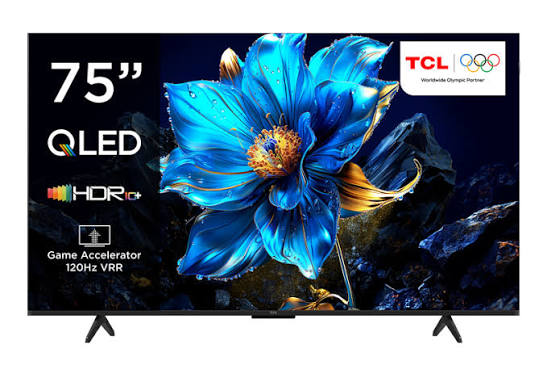
The tcl L32S4900 Smart TV is a compact 32-inch smart television designed for everyday entertainment, streaming, and casual gaming in bedrooms, small apartments, dorm rooms, and secondary living spaces. It combines HD picture quality with smart connectivity, making it a practical choice for users who want an affordable TV with built-in online features. With support for Wi-Fi, LAN connectivity, HDMI, USB, and digital TV functions, the tcl L32S4900 Smart TV is built to handle both traditional broadcasts and modern streaming apps with ease.
One of its main advantages is its simple, user-friendly interface, which makes setup straightforward even for first-time smart TV owners. The TV is also known for its energy-efficient operation, compact footprint, and versatility as a home entertainment hub. Depending on the market and retailer, the estimated price range is typically around the budget to mid-range level for 32-inch smart TVs, often listed near the equivalent of $120 to $220, though local pricing may vary. Availability is generally strongest through regional electronics stores, online marketplaces, and TCL-authorized dealers.
For users searching for a reliable 32-inch HD smart TV, the tcl L32S4900 Smart TV offers a balanced mix of value, convenience, and connectivity. It is especially well suited for streaming video, watching digital channels, connecting a set-top box, or using a USB drive for media playback.
tcl L32S4900 Smart TV Specifications and Key Features
- Display size: 32 inches, ideal for compact rooms and secondary viewing areas.
- Resolution: HD 1366 x 768 for clear everyday viewing.
- Refresh rate: 60 Hz for smooth normal-motion content.
- Connectivity: Wi-Fi, LAN, HDMI, USB, AV, and digital TV inputs.
- Audio: Built-in stereo speakers with support for common TV audio formats.
- Smart functions: Internet access, app-based streaming, and screen-mirroring-style media sharing in supported configurations.
- Design: Slim, space-saving frame with a modern LED look.
- Power use: Low-consumption design suitable for daily home use.
In performance terms, the tcl L32S4900 Smart TV is best viewed as a practical HD smart TV rather than a premium cinema display. Compared with higher-end 32-inch models that offer Full HD or Android-based ecosystems, this model focuses on simplicity, affordability, and core entertainment features. That makes it a strong alternative for buyers who want reliable streaming and digital TV without paying for advanced panel technology.
How to Set Up the tcl L32S4900 Smart TV
Begin by placing the TV on a stable, level surface or mounting it on a wall bracket that matches the VESA specification for the model. Keep ventilation space around the rear panel and avoid direct heat sources. Connect the power cord securely, then attach your antenna, cable box, game console, or media player using the correct input ports.
Turn on the television and follow the on-screen setup wizard. Select your language, region, and time settings, then connect to Wi-Fi or plug in an Ethernet cable for a more stable internet connection. Pair any supported remote accessories or Bluetooth-compatible devices if available in your version. After that, scan for digital channels, sign in to streaming apps, and adjust picture settings such as brightness, contrast, and audio mode to match your room.
If the TV fails to connect, restart the router, verify the password, and move the television closer to the wireless access point. Never block ventilation openings, and do not connect the TV to an unstable power source. For safety, unplug the unit before cleaning or moving it.
Troubleshooting the tcl L32S4900 Smart TV
Common issues usually involve Wi-Fi connection failure, no signal on HDMI, sound without picture, or the TV not turning on. If the screen stays blank, check the power outlet, power cord, and remote batteries first. If the TV says there is no signal, confirm the correct input source is selected and make sure the cable is firmly connected.
When apps freeze or load slowly, restart the TV and your router, then clear unused apps or check for software updates. If audio is missing, raise the volume, inspect external speaker settings, and test another source device. Typical on-screen error messages such as “No Signal,” “Network Error,” or “Unsupported Format” usually point to input selection, internet, or media compatibility problems rather than hardware failure.
Preventive care includes regular software updates, gentle cleaning with a dry microfiber cloth, and avoiding overheating by keeping the rear vents open. Warranty coverage and support options vary by region, so users should contact their local TCL service center, retailer, or official customer support line for repair assistance, spare parts, and warranty claims.
Pros and Cons of the tcl L32S4900 Smart TV
Pros
- Affordable price point for a smart 32-inch television.
- Compact size works well in bedrooms, kitchens, and dorm rooms.
- Built-in Wi-Fi and LAN support make streaming convenient.
- HD resolution is suitable for daily TV, movies, and YouTube viewing.
- Multiple input ports improve compatibility with consoles and set-top boxes.
- Good value for buyers who want essential smart features without overspending.
Cons
- HD resolution is lower than Full HD alternatives.
- Audio performance is adequate but not ideal for larger rooms.
- Smart features may feel basic compared with newer Android TV models.
- Motion handling is fine for casual viewing, but not for demanding fast-action content.
For value-conscious buyers, the tcl L32S4900 Smart TV offers strong everyday utility. Compared with similar budget 32-inch smart TVs, it stands out for ease of use and practical connectivity, though it does not compete with premium displays on picture sharpness or app ecosystem depth.
Customer Reviews of the tcl L32S4900 Smart TV
Customer feedback is generally positive, with many users giving it around 4 out of 5 stars for its affordability and convenience. Buyers often praise the easy setup, compact size, and reliable performance for streaming and digital TV.
Common complaints focus on the HD-only resolution, average built-in speakers, and occasional app lag during extended use. One typical review notes that it is “a great small TV for the price and works well for Netflix and local channels,” while another mentions that “the picture is clear enough for a bedroom, but the sound is better with external speakers.”
Overall, the tcl L32S4900 Smart TV is a smart recommendation for users who want a budget-friendly secondary television with essential smart features. It is best suited for casual viewing, streaming, and compact spaces rather than premium home theater use.
Faqs
How do I set up the TCL L32S4900 Smart TV for the first time?
Why is my TCL L32S4900 Smart TV not connecting to Wi-Fi?
How do I fix no picture or a black screen on TCL L32S4900 Smart TV?
What devices are compatible with TCL L32S4900 Smart TV through HDMI and USB?
How can I improve picture quality on TCL L32S4900 Smart TV?
Why is the sound low or distorted on TCL L32S4900 Smart TV?
How do I update apps or software on TCL L32S4900 Smart TV?
What is the best way to clean and maintain TCL L32S4900 Smart TV?
More tcl manuals
Leave a Comment