
How to Pair: Tozo T6 Stereo Earbuds Instruction Guide
Content
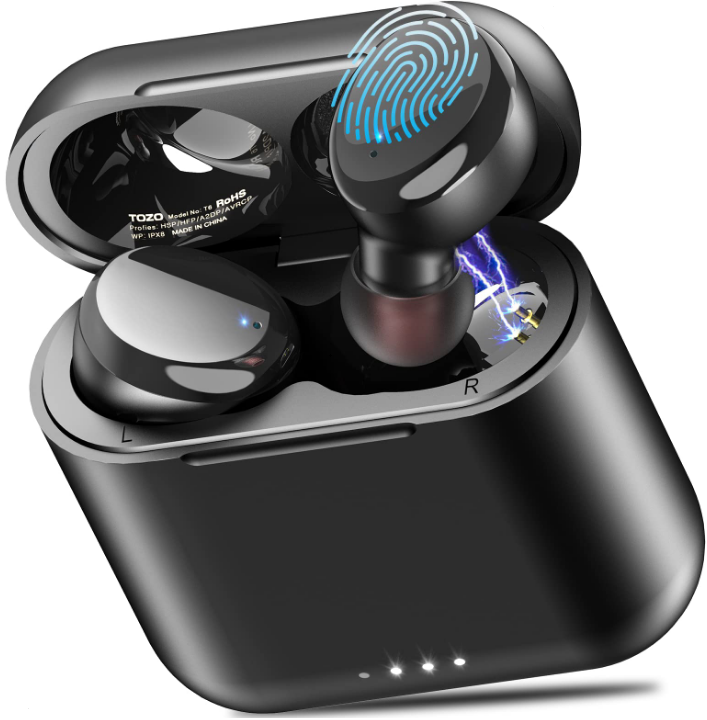
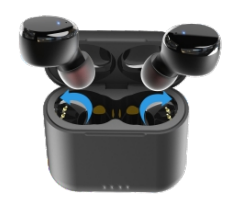
TOZO T6 Stereo Earbuds
Introduction
The TOZO T6 Stereo Earbuds are a budget-friendly, feature-rich option for anyone seeking reliable wireless earbuds. With their IPX8 water resistance and Bluetooth 5.3 connectivity, these earbuds offer a seamless listening experience. The T6 model features a 6mm dynamic driver, delivering a frequency response range of 18Hz to 20kHz, and supports AAC and SBC audio codecs. They provide up to 50 hours of battery life with the charging case, making them ideal for extended use. The earbuds are designed for comfort and include six pairs of eartips to ensure a secure fit for various ear sizes. Available in multiple colors, the TOZO T6 is priced around $40 to $60, making it an attractive option for budget-conscious consumers looking for quality sound and durability.
Specification
- Support Bluetooth profile: A2DP, AVRCP, HFP, HSP
- Transmission Distance: ≥12m
- Bluetooth working frequency: 2.402GHz~2.480GHz
- Speaker type: Ф6mm*2
- Impedance: 16015%
- Charging time of earbuds: 1.7 hours
- Charging time of the charging case: 1.8 hours
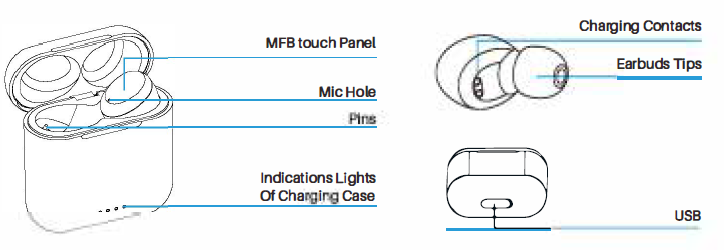
Product diagrammatic sketch
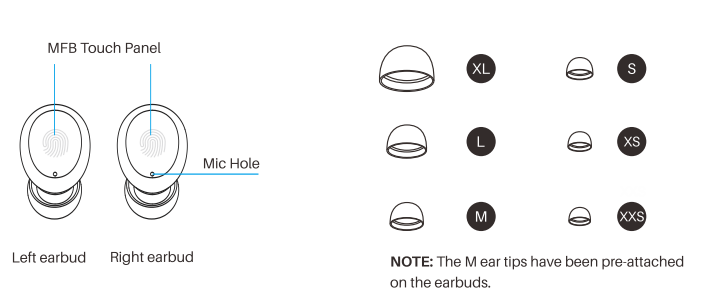
Wearing a diagrammatic sketch
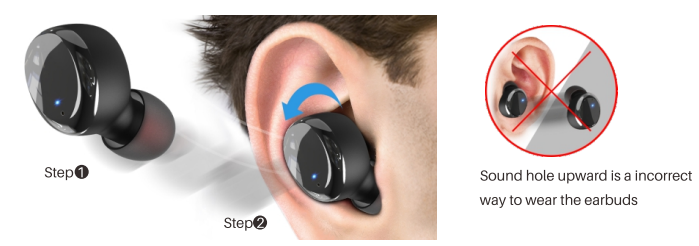
Wearing steps
Operation of earbuds
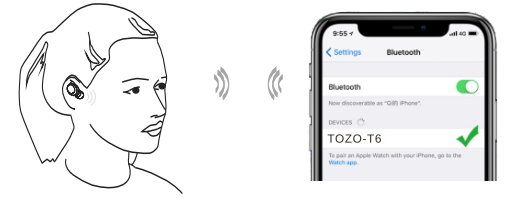
Howt o palr
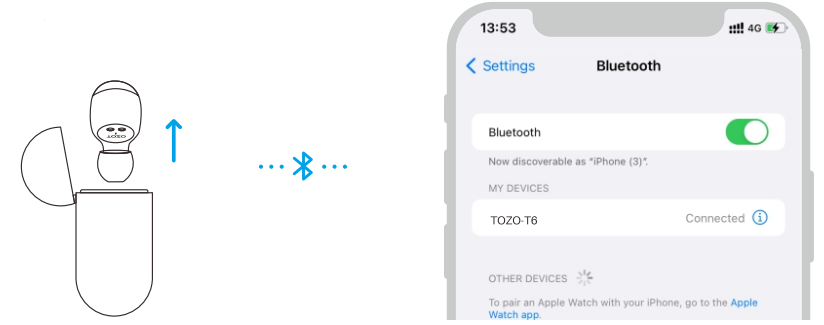
- First-time use, remove the prot9CIIY81ilm from the earbuds, place them in the charging case for 2-35. Then take them out. They will turn on automatically and will connect to each other within 1 o second.
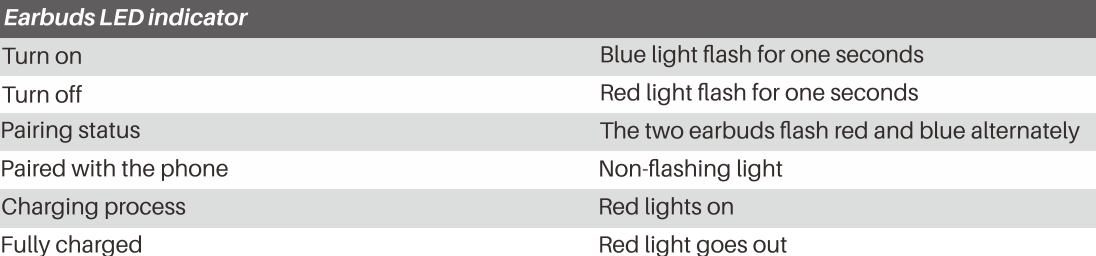
- The two earbuds II.ash alternately in red and blue (pairing mode)
- Search for the pairing name ITOZO-T6l and select II in your mobile.
Another method of turning on & turning off
Turn on:
Tap and hold the touch panel on both earbuds for over 3 seconds.
Turn off:
- Touching the touch panel for 5 seconds will turn off when the earbuds are in playless status.
- The earbuds will turn off automatically after it is disconnected for more than 5 minutes.
Reset
If you accidentally get only one earbud working, or fail to pair each other, please reset them:
- Delete all [TOZO-T6] Bluetooth records on the phone, then turn off the Bluetooth.
- Pick up two earbuds from the charging case, then hold the earbuds' panels for 5 seconds until the red lights turn off to turn off the earbuds.
- Pressing the both earbuds for another 5 seconds till the red and blue lights blink alternately, and then clicking the both earbuds twice quickly.
- The reset will be done when the blue light flashes rapidly, and then the red and blue lights blink alternately.
NOTE: In case there is [Connection Unsuccessful] in your devices, please delete all historical records of [TOZO-T6] and try the pairing process again.
Charging
Charging the earbuds
- Put the earbuds into the charging case, and they will power off & be charged automatically. When the red LED lights up, it means that the earbuds are being charged from the charging case.
- The red light will turn off when the earbuds are fully charged.
Charging the charging case
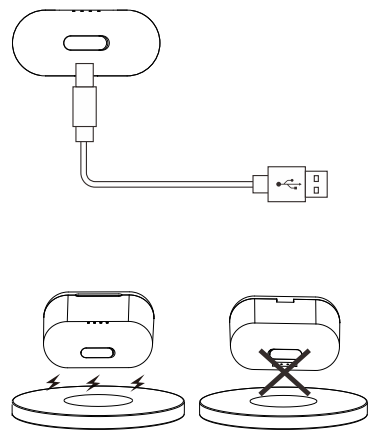
Please use the 5V/1A adapter to charge the charging case, which can be charged with a computer USB or other USB interface charger.
Box wireless charging
Designed for the modern life, never be strangled by headphone cables. Enjoy the convenience of wireless charging and free charging devices provided by airports, hotels, and cafe shops around the world.
NOTE: The battery indicator-white indicator light is above the wireless charger.
Charging warning
Don't tap the earbuds touch button while in charge, otherwise it will be fail to pair. Then you should follow the reset to factory settings.
Button operation
TOZO APP
Download the TOZO App for Ul customization, EQ settings,, and more.
- Ul customization: Most of the controls can be customized in the App
- EQ settings. There are lots of EQ settings you can choose in the App to optimize your experience while enjoying different music genres.
- Earbuds firmware update: The earbuds firmware can be updated in the App. You will be informed once the new version of firmware is detected when you connect the eearbuds to the App.
TOZO APP pairing
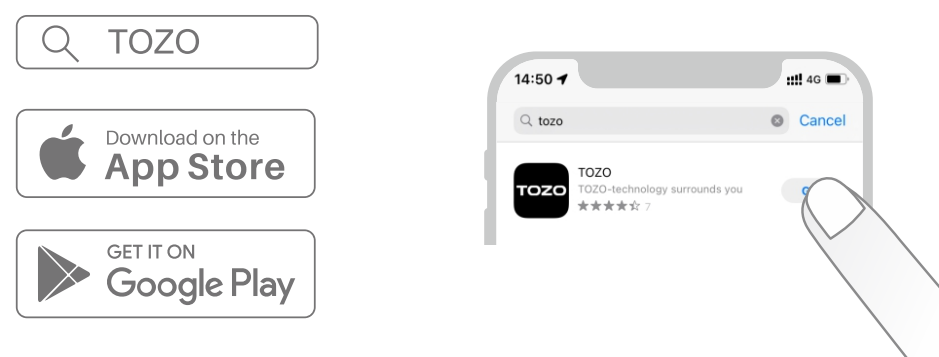
Step 1:
Download the TOZO App on your phone.
Step 2:
Bluetooth pairing with your earbuds.
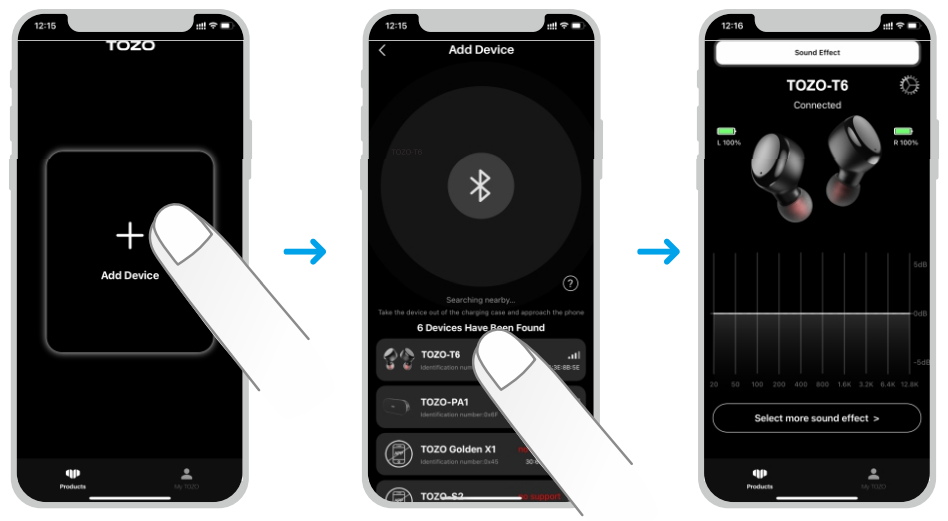
Step 3:
TOZO App pairing with your earbuds.
Troubleshooting Common Issues
Here are some common problems and solutions for the TOZO T6 earbuds:
- Connection Issues: Ensure your Bluetooth is enabled and the earbuds are charged. Restart both devices if necessary.
- No Sound: Check the volume settings on your device and ensure the earbuds are properly connected.
- Charging Issues: Verify that the charging case is properly aligned and the USB cable is securely connected.
For further assistance, contact TOZO support via their website or customer service hotline. The TOZO T6 comes with a warranty covering manufacturing defects.
Pros and Cons
Pros
- Cost-Effective: Offers great value for its price with features like IPX8 water resistance and 50 hours of battery life.
- Comfortable Design: Ergonomic design with multiple eartip sizes for a secure fit.
- Customizable Sound: Supports EQ customization through the TOZO app.
Cons
- No Active Noise Cancellation: Lacks ANC, which may be a drawback for some users.
- Material Quality: Some users may find the build materials less premium compared to more expensive options.
Overall, the TOZO T6 is a solid choice for those seeking budget-friendly wireless earbuds with good sound quality and durability.
Customer Reviews
Users have praised the TOZO T6 for its sound quality, comfort, and value for money. Common complaints include the lack of active noise cancellation and some material concerns. However, many users appreciate the customizable EQ options and the earbuds' ability to deliver deep bass. With a typical rating of 4 out of 5 stars, the TOZO T6 is a recommended buy for casual users and those on a budget.
More tozo manuals
- How to Pair: Tozo OPEN-EAR AIR CONDUCTION SPORT HEADPHONES User Manual
- How to Pair: Tozo Open Ear Earbuds User Manual
- Pairing: Tozo HA1 Wireless Headphones User Manual
- How to Pair: Tozo T12 Pro Earbuds User Manual
- Usage: Tozo HT2 Adaptive Hybrid Headphones User Manual
- Pairing: Tozo T12 Stereo Earbuds Instruction Guide
Leave a Comment